Viewing SD-LAN Statistics
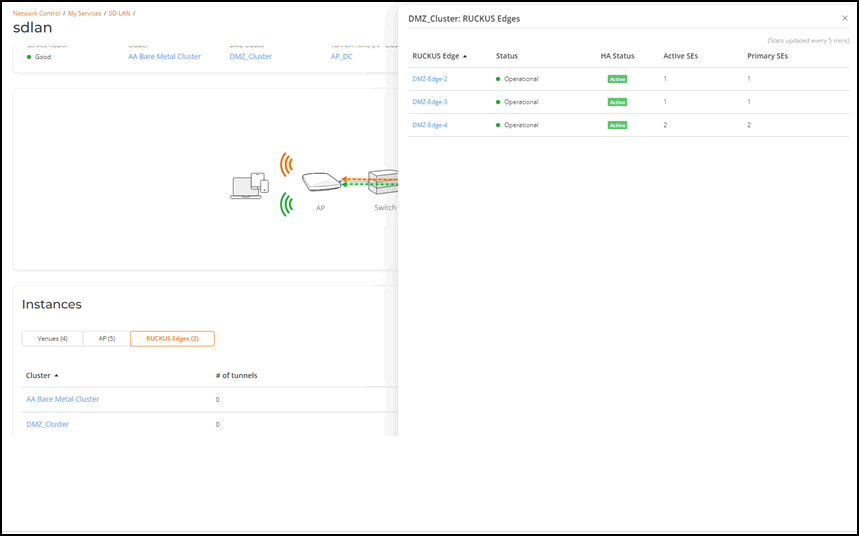
- On the navigation bar, click , then click the SD-LAN tile and click on a specific SD-LAN service name.
- Navigate to the Instances section
and click the RUCKUS
Edges tab. This displays the number of tunnels, number of active
APs, and number of tunneled VLANs for the configured clusters.
Note: The SD-LAN tunnel statistics are updated every 5 minutes.
Statistics for AA DC Cluster
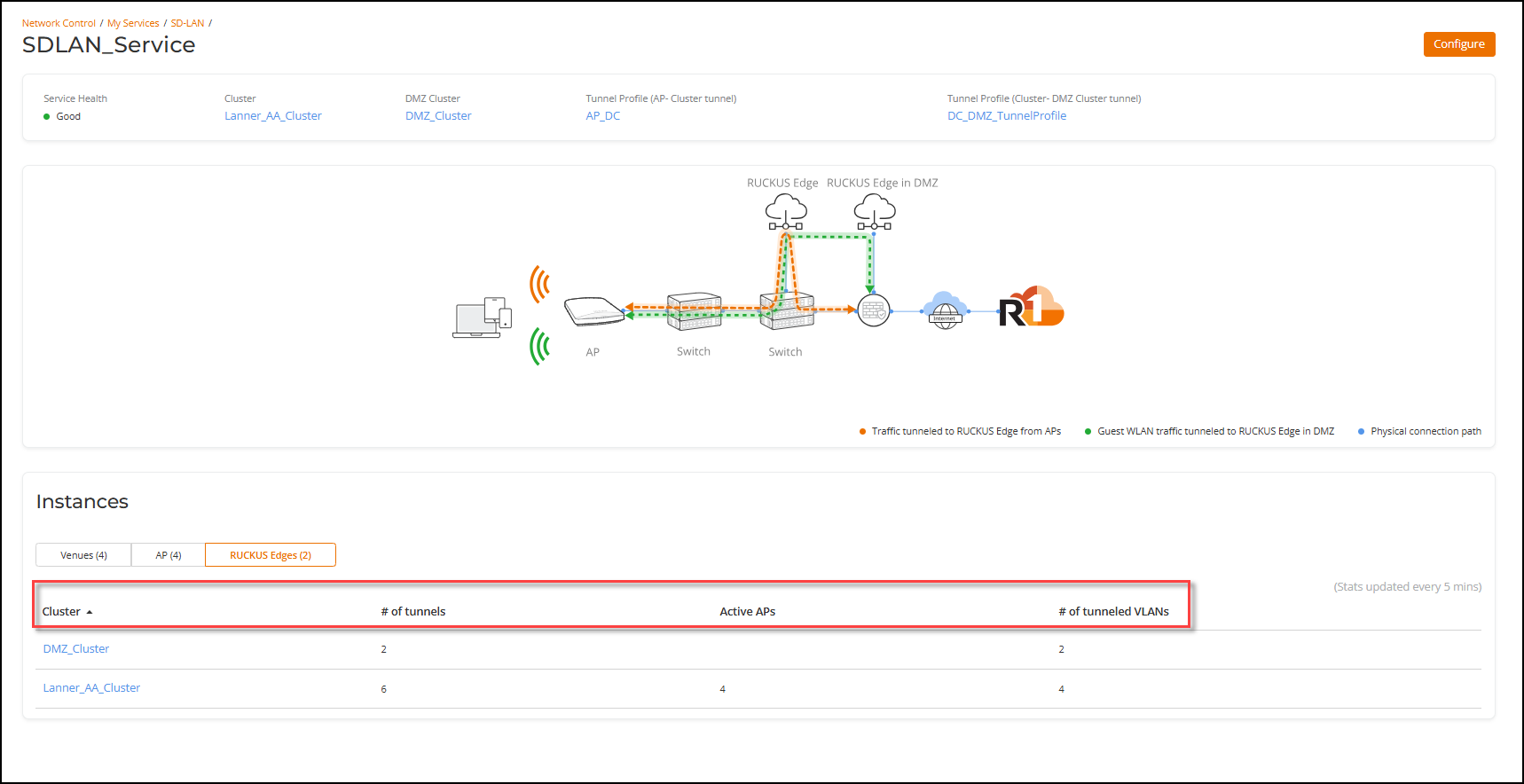
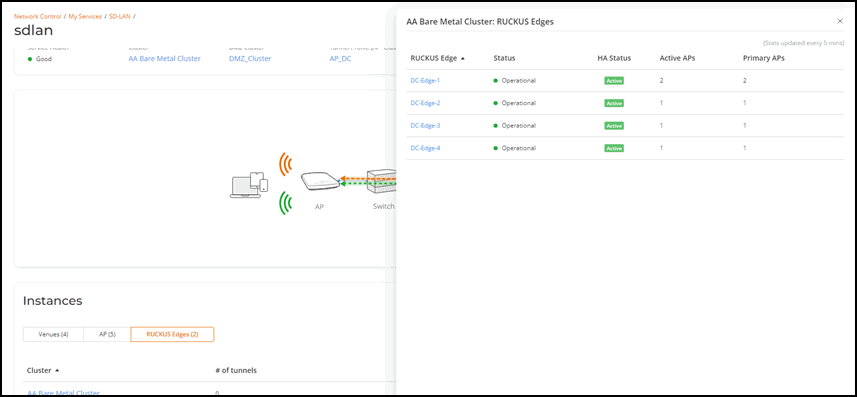
Active APs: This shows the number of APs currently connected to the given DC Edge and have an active VXLAN-GPE tunnel with the Edge.
Primary APs: This shows the number of APs that have selected the given DC Edge as their primary Edge. The primary Edge is the first Edge in the randomized list generated by the AP and is the preferred Edge for forming the VXLAN-GPE tunnel. If the primary Edge is not available, the AP forms a tunnel to the next available Edge in the randomized list. Therefore, the Primary APs count might differ from the Active APs count.
At the time of fallback, the APs fall back to the primary Edge. If all the edges are available, the Active APs and Primary APs count for a given Edge will be equal.
Statistics for DMZ Cluster
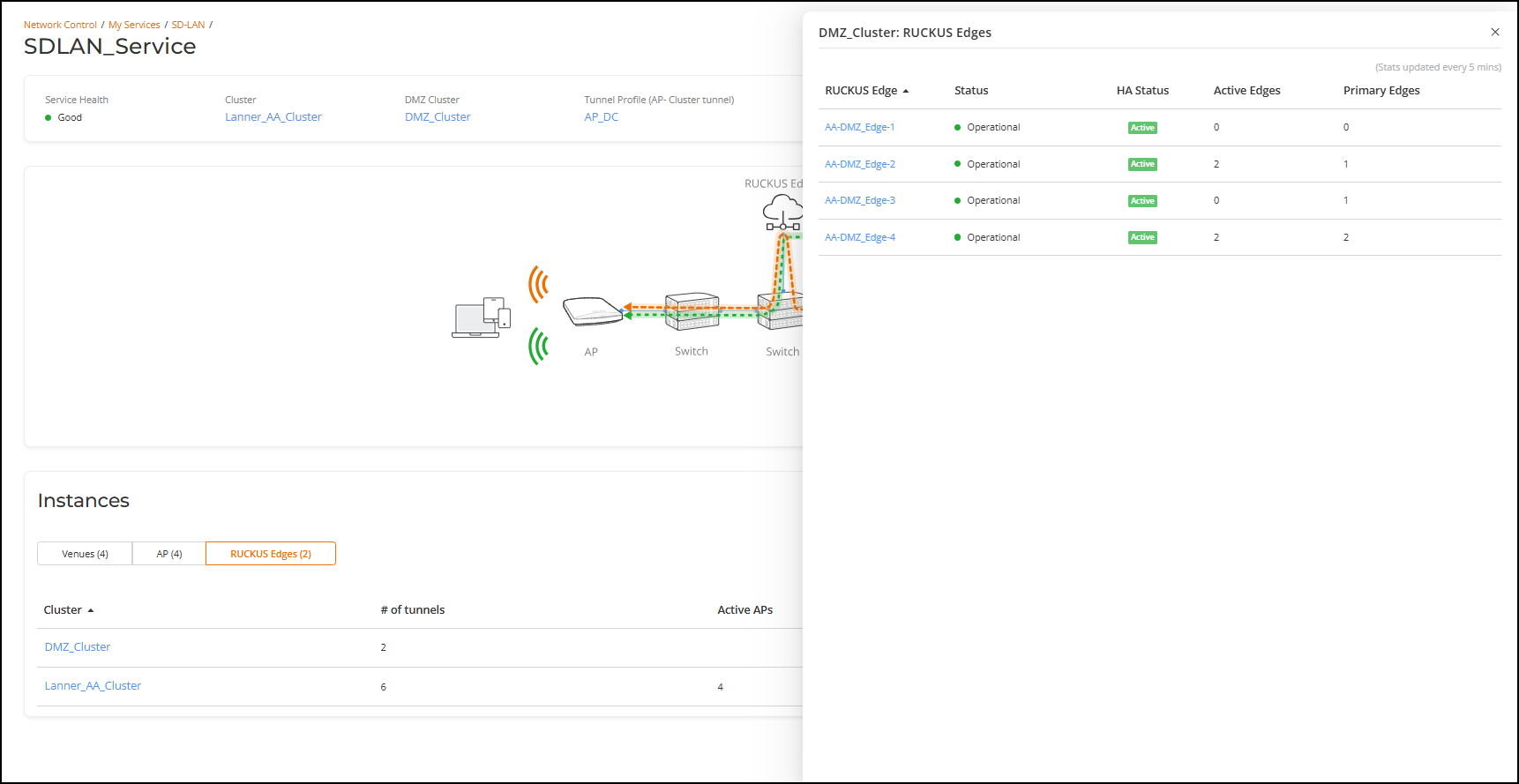
Active SEs: This shows the number of DC Edge devices currently connected to the given DMZ edge. There is an active VXLAN-GPE tunnel between the number shown under Active SEs and the given DMZ Edge.
Primary SEs: This shows the number of DC Edge devices that have the given DMZ Edge as their primary Edge. The primary Edge is the first Edge in the randomized list generated by the DC Edge and is the preferred Edge for forming the VXLAN-GPE tunnel. If the primary DMZ Edge is not available, the DC Edge forms a tunnel to the next available Edge in the randomized list. Therefore, the Primary SEs count might differ from the Active SEs count
At the time of fallback, the DC Edges fallback to the primary Edge. In a case where all the DMZ edges are available, the Active SEs and Primary SEs count for a given Edge will be equal.