Workflow Validation
Workflow Validation ensures that
every step in a workflow is correctly configured—errors like disconnected steps or
onboarding issues must be resolved for the workflow to be marked valid and ready for
publishing.
A valid workflow is indicated by the
 icon. An invalid workflow is indicated by the
  icon.
Each step within a workflow must be valid for the entire workflow to be valid and
publish-ready. A workload can be invalid due to several reasons (such as
disconnected steps, lack of an onboarding action or too many of them, and so on).
You must identify errors in an invalid workflow and resolve them before
publishing.
icon.
Each step within a workflow must be valid for the entire workflow to be valid and
publish-ready. A workload can be invalid due to several reasons (such as
disconnected steps, lack of an onboarding action or too many of them, and so on).
You must identify errors in an invalid workflow and resolve them before
publishing.
 icon
next to the Not Ready
indicator to view more details about specific validation issues. Valid workflows are
marked Ready and are ready to
be published. You can move blocks within the workflow with the
icon
next to the Not Ready
indicator to view more details about specific validation issues. Valid workflows are
marked Ready and are ready to
be published. You can move blocks within the workflow with the 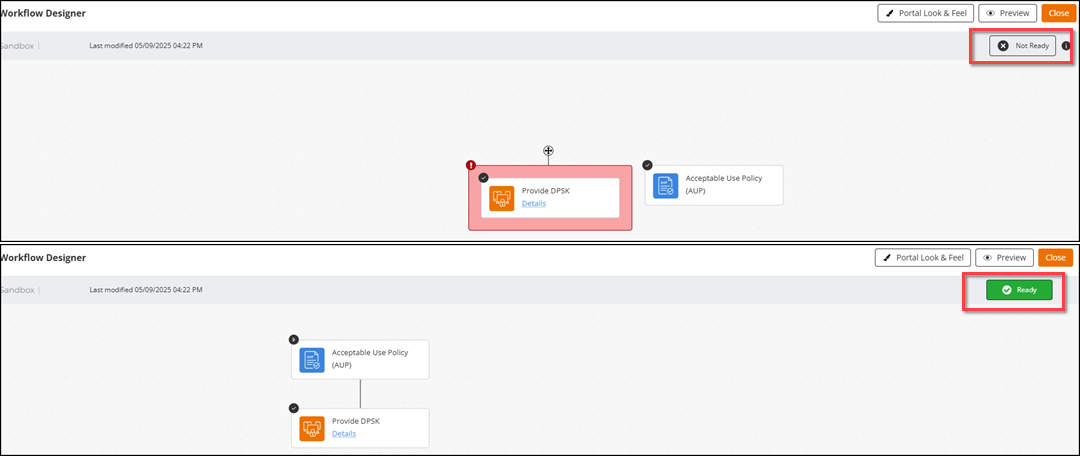
 icon.
Only disconnected blocks (pink blocks) can be moved within a
Sandbox, and they can be connected to the main branch in
the workflow. You can connect disconnected blocks by dragging them onto any other
step and not just the main branch. The
icon.
Only disconnected blocks (pink blocks) can be moved within a
Sandbox, and they can be connected to the main branch in
the workflow. You can connect disconnected blocks by dragging them onto any other
step and not just the main branch. The  icon
helps to identify the error in the block or workflow. Only valid workflow drafts
are ready for publishing. A warning
icon
helps to identify the error in the block or workflow. Only valid workflow drafts
are ready for publishing. A warning  icon is
displayed when a published workflow contains an invalid draft. Hovering over the icon on a
block displays more information about why it is marked as invalid.
icon is
displayed when a published workflow contains an invalid draft. Hovering over the icon on a
block displays more information about why it is marked as invalid.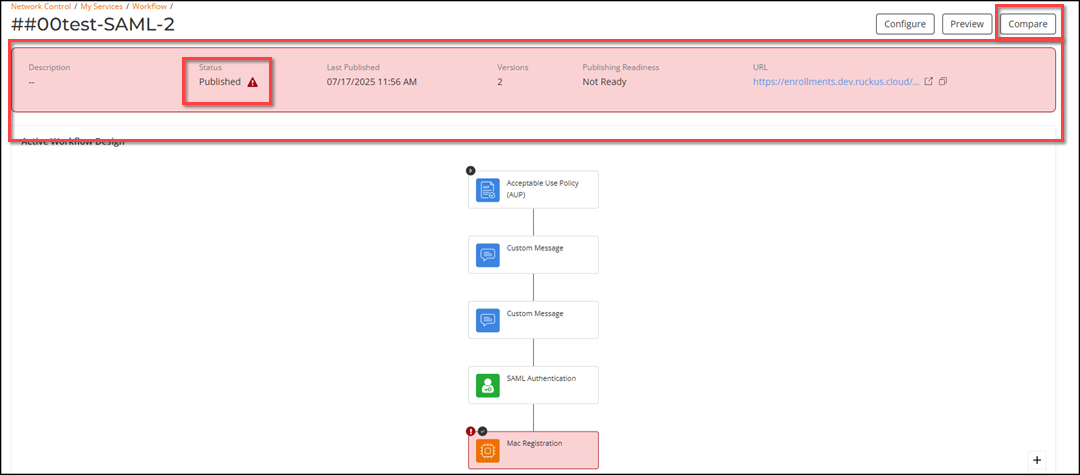
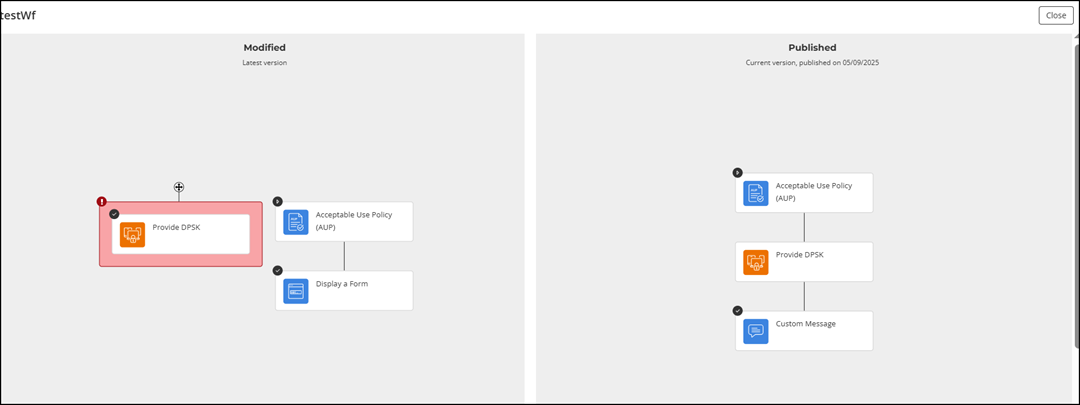
Click Compare to view the workflow draft that was published (invalid) and the one in-progress (current draft).