Adding a RUCKUS WAN Gateway
Adding your RUCKUS WAN Gateway devices to
your RUCKUS One account leverages the ability of RUCKUS One to be used for
single-pane-of-glass monitoring and management of all your networking devices.
Complete the following steps to add a RUCKUS WAN Gateway device to your RUCKUS One account:
- From the navigation bar, select
.The RUCKUS WAN Gateway page is displayed.
- In the upper-right hand corner of the RUCKUS WAN Gateway page, click Add Gateway.
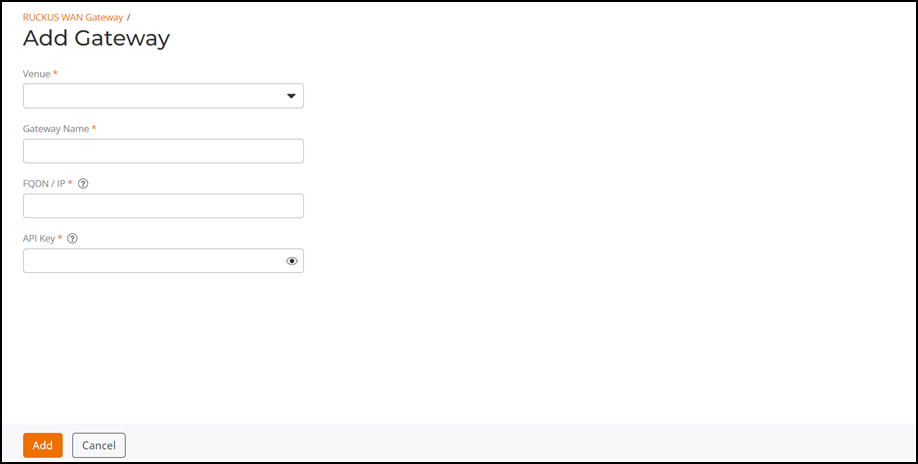
- Select a venue from the drop-down.
- For Gateway Name, enter a name.
- For FQDN/IP, enter a fully qualified domain name (FQDN) (for example, mydomain.com) or a valid IP address of the RWG device.
- For API
Key, enter an 80-characrter long string.Note: API keys can be generated and copied from the RWG Administrator UI. The API keys generated by RWG do not expire.
- Click Add.The newly added WAN gateway is displayed in the RUCKUS WAN Gateway page.
- (Optional), after Step 1, select a gateway that you want to remove and click Delete.