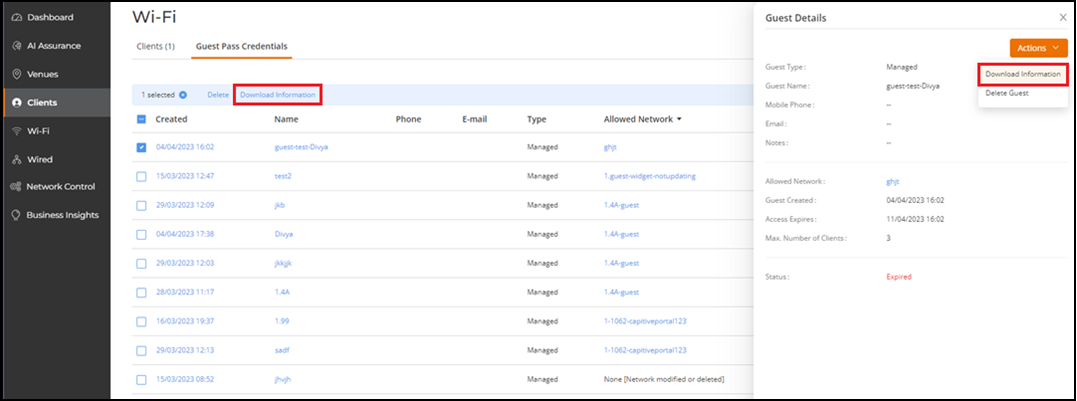
Downloading Guest Information
- From the navigation bar, select
.The Guest Pass Credentials page is displayed. A table with a summary of all guest users is displayed.
- Click the check box for a
specific guest user, then click the Download
Information option that appears above the table. Alternatively,
click the name of the guest user and in the Guest Details
sidebar, click .The guest information is downloaded in a .csv file. Open the file to view the details such as guest name, mobile number (along with relevant country code), guest creation, and expiry date. A static table at the bottom of the report displays a list of accessible information, who can access each type of information, and why they are allowed access.