Replacing an AP
When a physical AP must be replaced, you
can replace the AP in RUCKUS One while maintaining its existing configuration and
settings.
AP replacement has the following limitations:
- Only one AP can be replaced at a time.
- The replacement AP must be of the same model.
- An AP in the Never contacted cloud state cannot be replaced. In this case, delete the AP and Add the new AP.
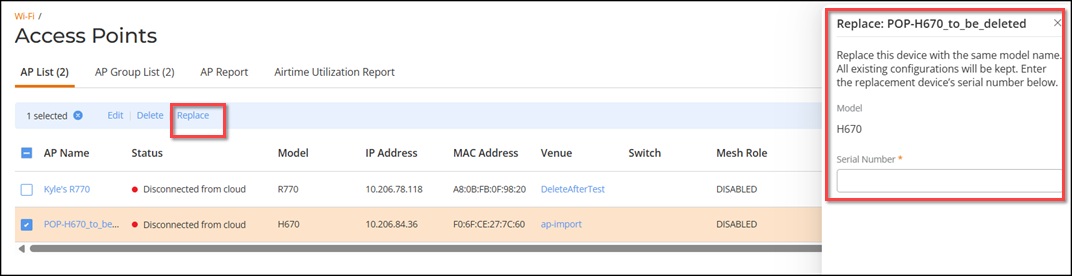
Complete the following steps to replace an AP.
- From the navigation bar, select . The Access Points page displays a list of all access points.
- From the AP list, select the access point that you want to replace.
- Click Replace. The Replace: <AP Name> sidebar is displayed.
- Enter the serial number of the
replacement AP.Note: You cannot change the AP model. You can replace the device only with another AP of the same model.Note: Replacing an AP preserves the existing configuration profile, including SSID settings, radio parameters, and policy assignments. No manual reconfiguration is required.
- Click Replace.