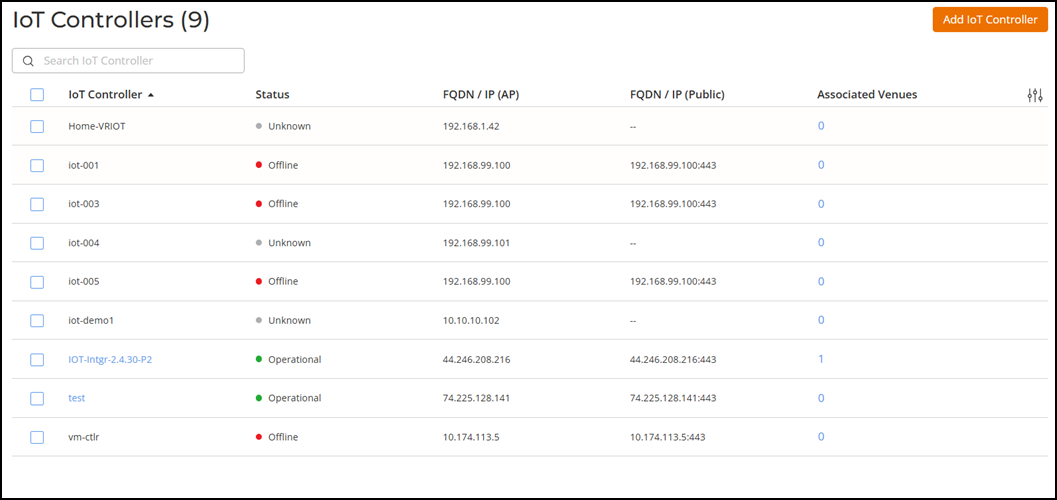
Viewing IoT Controllers
You can view the list of RUCKUS IoT
Controllers added to your RUCKUS One account.
Complete the following steps to view the existing RUCKUS IoT Controllers in your RUCKUS One account:
- From the navigation bar, select .
- The IoT
Controllers page is displayed with the following
information:
- IoT Controller: Displays the name of the controller.
- Status: Displays the current status of the controller. The possible statuses are:
- FQDN/IP (AP): Displays the fully qualified domain name (FQDN) or the IP address through which APs can reach the IoT controller.
- FQDN/IP (Public): Displays the controller’s external FQDN or IP address for RUCKUS One to communicate directly.
- Associated Venues: Displays the count of the venues associated with the IoT controller.