Editing or Deleting a Resident Portal
You can edit or delete the RUCKUS
supported resident portal.
- On the navigation bar, select
.The My Services page is displayed.
- Click the Resident Portal
tile.The Resident Portal page is displayed.
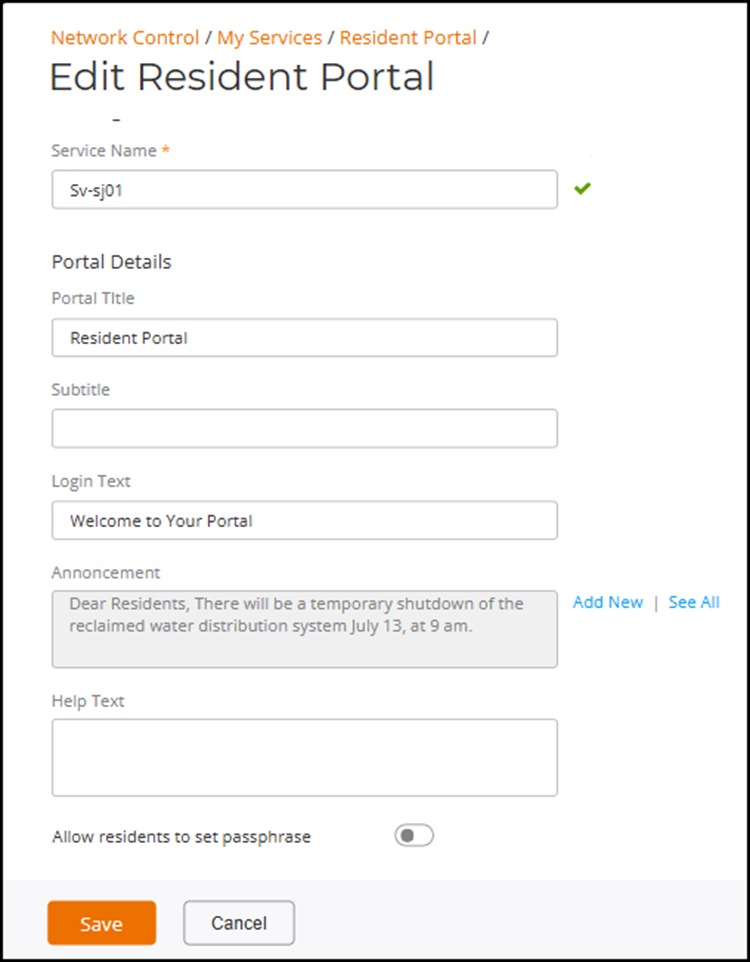
- In the Name column, click the Radio Button beside the resident portal name then click Edit. Alternatively, select a resident portal name, and click Configure. The Edit Resident Portal page is displayed.
- Click Save.
- (Optional) Complete the
following steps to delete a resident portal.Note: You cannot delete a resident portal while venues are using it.
- Open the Resident Portal page, refer to Step 1 and Step 2.
- Select the Resident
Portal that you want to delete then click Delete.The Delete confirmation dialog box is displayed.Note: The Delete option will be displayed only if the Resident Portal is not used in the Property Management.
- Click Delete
Policy to delete the Resident
Portal.A message confirming successful deletion is displayed.