Importing Identities from a CSV File
You can import multiple identity profiles
using a CSV file.
- On the navigation bar, select .
- Click Import From File.
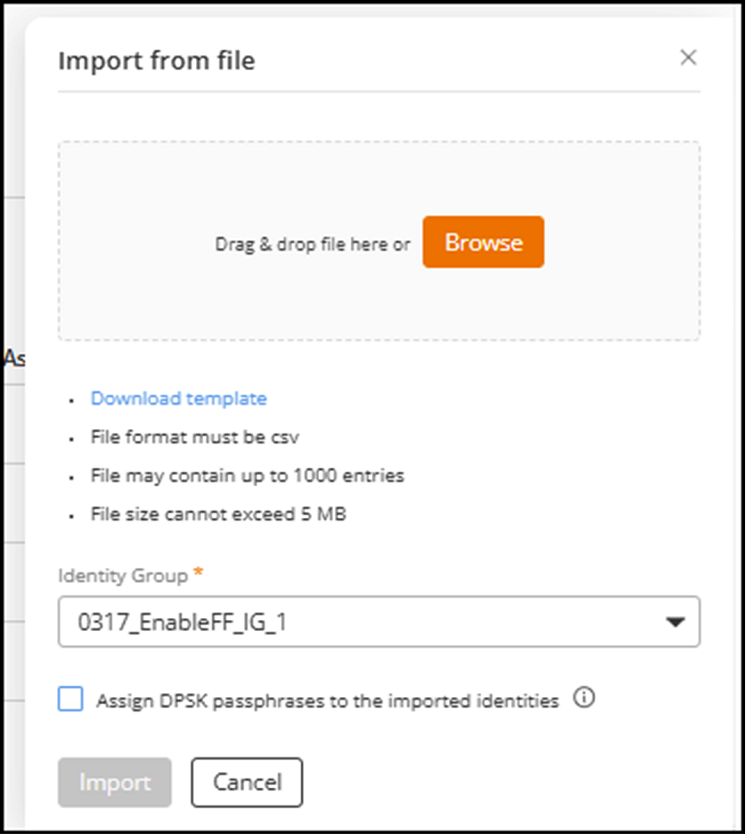
- Click Download template to download the CSV template to your local machine.
- Open the downloaded template file on your local device, enter the required details, and save the file.
- In the Import from file sidebar, drag-and-drop the CSV file into the upload area, or click Browse to select the file.
- Select an Identity Group.
- (Optional) Select the Assign DPSK passphrases to the imported identities checkbox to assign DPSK passphrases to the imported identities. The passphrase is assigned from the DPSK service associated with the selected Identity Group. If you do not select this checkbox, identities are imported without DPSK passphrases.
- Click Start
Import.The Import from file sidebar closes automatically, and an in-progress notification is displayed.