Viewing ACLs
- On the navigation bar, click . The Switch page is displayed.
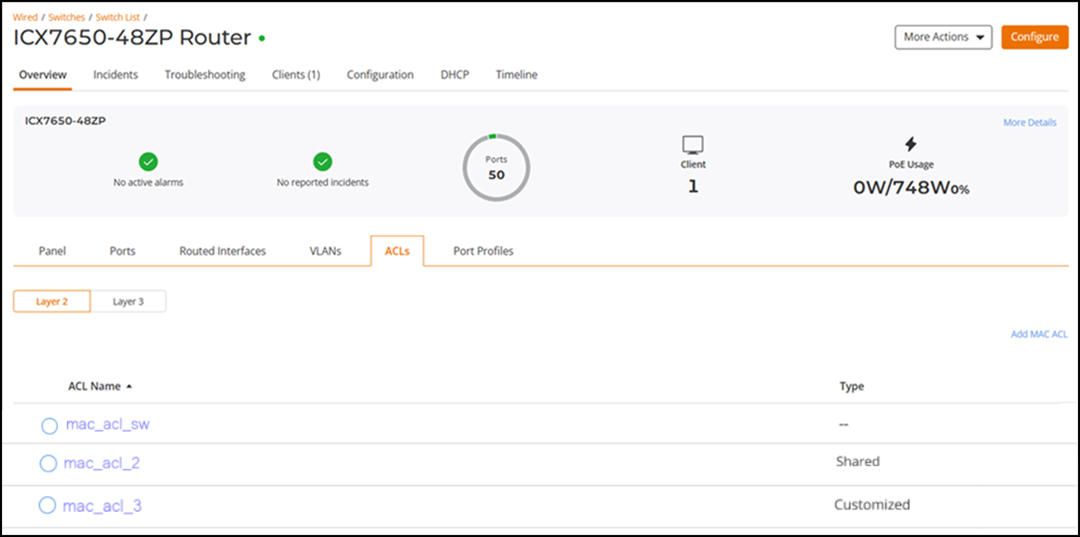
- Click the name of the switch to
view ACL configuration.Be default, the Overview tab is displayed.
- Select the ACLs sub-tab to view the ACLs.By default, the Layer 2 sub-tab is displayed.
- Click a Layer 2 MAC ACL to view the switch-level ACL details.
- Click the Layer 3 sub-tab to view the switch-level Layer 3 ACLs.