Onboarding a Dual-Node Cluster for High Availability
This task describes creating a two-node,
high-availability RUCKUS Edge cluster in RUCKUS One.
- Log in to the RUCKUS One web user interface with your credentials.
- On the RUCKUS One navigation
bar, click RUCKUS
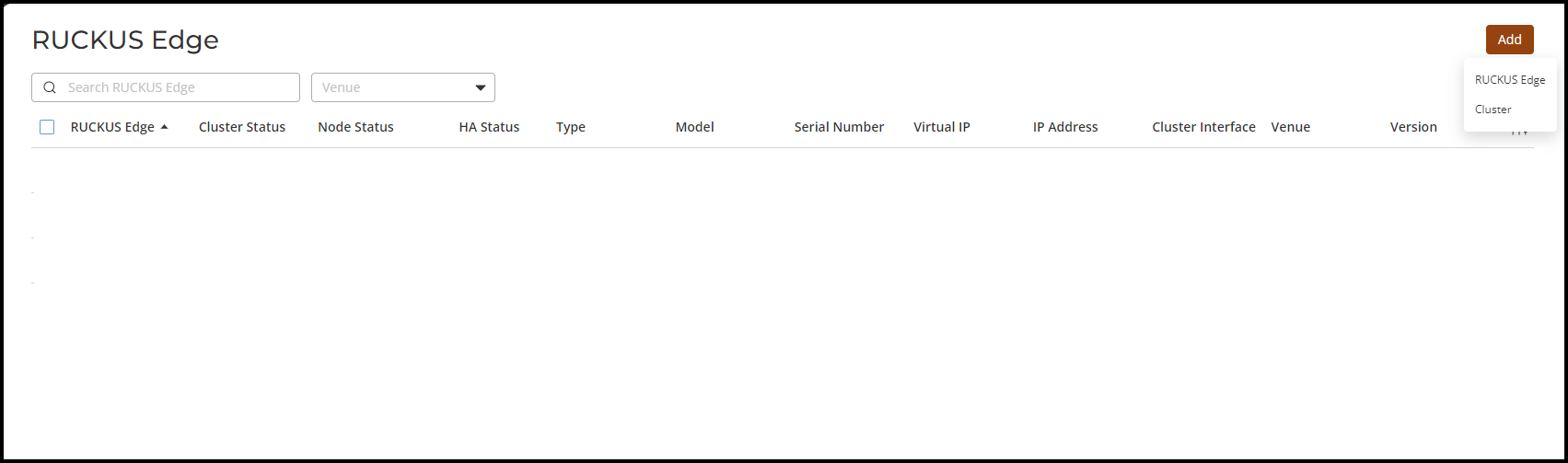
Edge.This displays the RUCKUS Edge page.
- In the RUCKUS Edge page, click Add and select Cluster. This displays the Add Cluster page.
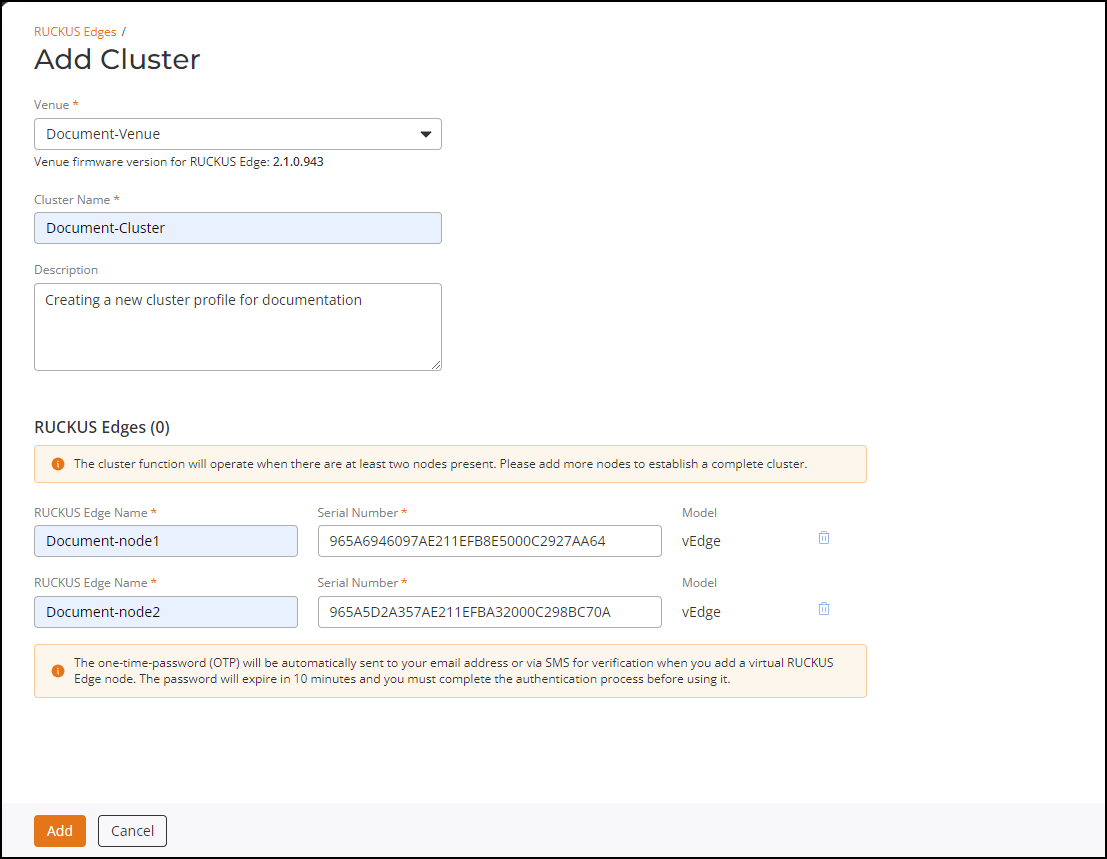
- In the Add Cluster page, enter the following details:
- In the RUCKUS Edges
section, define two Edge devices as two nodes are required to establish a
complete cluster. Enter the name and serial number of the first Edge device in
the available fields. Add a second Edge device in the same manner by clicking
the Add another RUCKUS
Edge option.
- RUCKUS Edge Name: Enter a meaningful name for the nodes.
- Serial Number: Enter the serial number of the Edge device. You can obtain the serial number by logging in to the Edge CLI or by looking at the label on the physical Edge device.
- Model: After the serial number is entered, the model name is displayed automatically.
Note: The one-time-password (OTP) is automatically sent to your email address or through the SMS for verification when you add a virtual Edge node (each Edge added as part of the Add Cluster receives an OTP for verification). The password expires in 10 minutes, and you must complete the authentication process before the OTP expires; otherwise you have to request a new OTP. - Click Add.