Enabling or Disabling RUCKUS One Early Access Features
RUCKUS One allows you to manage the
availability of early-access features in your tenant account.
- On the navigation bar, select
. The Settings tab is displayed.
- View the current list of
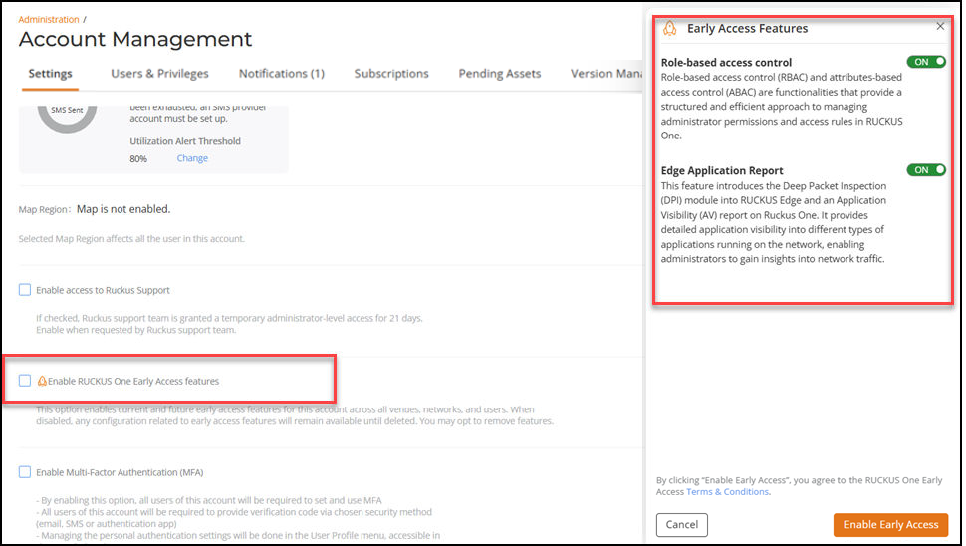
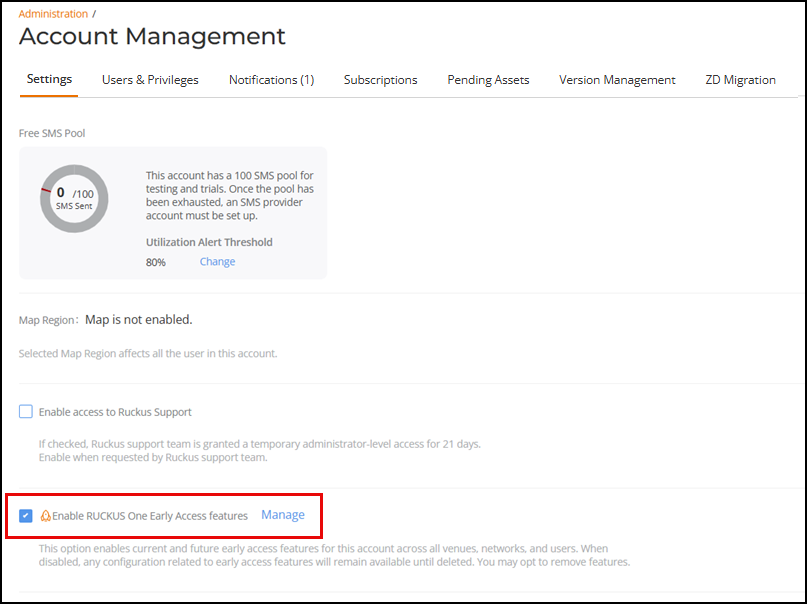
early-access features by scrolling to the Enable RUCKUS One Early
Access features option on the Settings
page.
- If you have not yet enabled this option, then click the checkbox to open the Early Access Features sidebar, displaying a list of available features and a brief description of each. Each feature is individually controlled with its own toggle switch, giving you granular control over early access.
- If you have already enabled this option, then click Manage to open the Early Access Features sidebar to view and select features currently available for early access. Enable or disable the individual features as desired, then click Save.
- (Optional) Click Terms & Conditions to review the Early Access Terms & Conditions and click OK to return to the Early Access Features sidebar.
- Click Save to save your preference and return to Settings tab.
- (Optional) Disable access to the
early access features functionality by clicking the checkbox next to
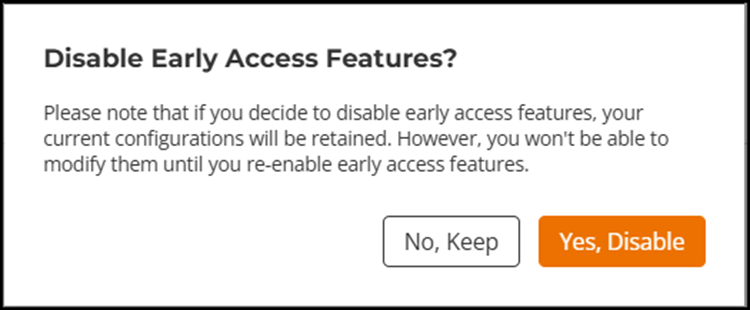
Enable RUCKUS One Early Access features.The Disable Early Access Features? confirmation box is displayed.Confirm your action:
- Click No, Keep to retain the early-access features functionality. The confirmation box disappears, and the Enable RUCKUS One Early Access features option remains enabled.
- Click Yes, Disable to disable the early-access features functionality. The Settings page reloads and the Enable RUCKUS One Early Access features option is disabled.