Editing or Deleting an AV Profile
Complete the following steps to edit or delete an AV Profile:
- From the navigation bar, select
.The My Services page is displayed.
- In the My
Services page, click AV Profile.The AV Profile page is displayed, defaulting to the Profiles tab.
By default, the Profiles tab displays all AV Profiles created in the account, including details such as Profile Name, Template, Untagged VLAN, IGMP status, DHCP Relay status, and the number of associated Switches and Venues. You can customize which fields appear in the AV Profile table by clicking the
 icon and selecting or deselecting the desired
column names. Optionally, you can click Reset to
default to restore the default subset of columns.
icon and selecting or deselecting the desired
column names. Optionally, you can click Reset to
default to restore the default subset of columns.You can use the Search option to display only the table entries matching the specified Name or AV Template; enter a minimum of two characters. Click Clear Filters to reset the filters. You can sort the list by clicking the associated column header.
- Select the checkbox next to the Name column to display and access the following options:
- (Optional) Click Edit to edit the
AV Profile configuration.The Edit AV Profile page is displayed. Modify the following configuration settings, as necessary:
- Select an AV Template from
the drop-down list.Click View Details to view the configuration, Edit Details to edit the configuration, or Add New to add a new template.Note: Default AV Templates cannot be edited or deleted. Templates that are used by an AV Profile also cannot be edited or deleted, and an AV Profile cannot be edited when it is assigned to a switch.
- Update the Untagged VLAN value.
- Enable or disable Querier Fast-Leave and Querier Election.
- Enter a Querier IP Address if needed.
- Enable or disable DHCP Relay; enter or update the VLAN IP, Netmask, and DHCP Server IP settings if enabling DHCP Relay.
- Click Apply.
- Select an AV Template from
the drop-down list.
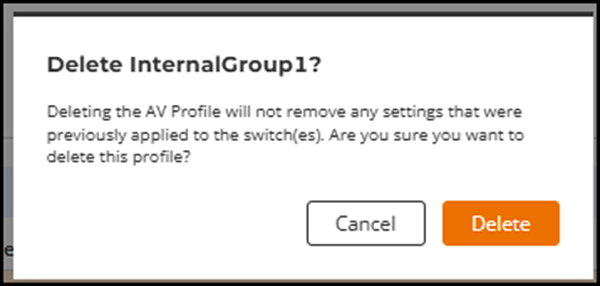
- (Optional) Click Delete to delete the AV Profile.
- (Optional) Click the AV Profile Name to view the configuration details. The details page displays all profile settings, including the Untagged VLAN, IGMP status, Querier Version, Querier Fast-Leave, Querier Election, and DHCP Relay status.