Rebooting a Switch
You can reboot a switch from the RUCKUS One interface to refresh its operation or resolve temporary
issues.
- On the navigation bar, select
.The Switches page is displayed, defaulting to the Switch List tab.
- Click the switch name in the
list.The details page for the selected switch is displayed, defaulting to the Overview tab.
- In the upper-right corner, click
More
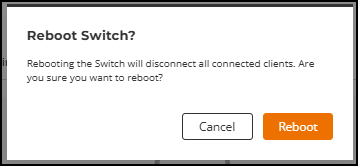
Actions and select Reboot Switch.The Reboot Switch dialog box is displayed.
- Click Reboot to confirm
and reload the switch.Note: Rebooting the switch disconnects all connected clients.