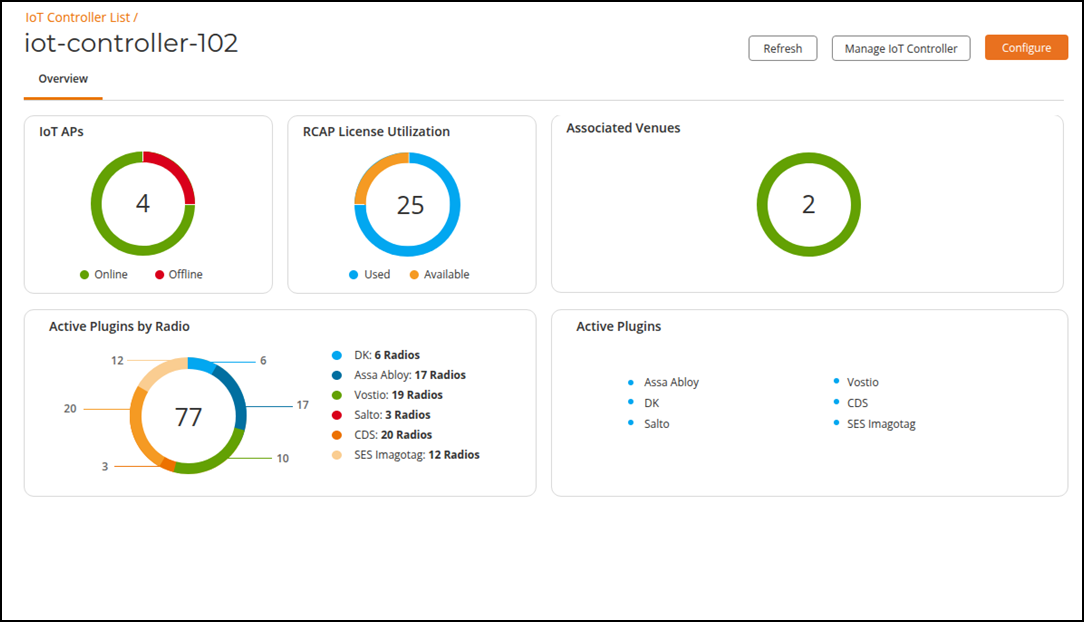
Managing an IoT Controller
RUCKUS One provides direct access to your
IoT Controller for management purposes. You will be prompted for your RUCKUS IoT Controller
username and password after the new web browser tab opens.
Prerequisites: To utilize this functionality, the IoT Controller must have a public-facing FQDN or IP address configured.
Complete the following steps to configure your RUCKUS IoT Controller:
- From the navigation bar, select .
- Click on the name of the IoT
Controller.Note: IoT Controller names that appear as a blue hyperlink are clickable; names that appear in black lettering are not clickable.
- Click Manage IoT
Controller.A new web browser tab appears, directed to the public address of the IoT Controller.
- Enter your RUCKUS IoT Controller username and password.
- Perform RUCKUS IoT Controller management activities, as necessary. Refer to the RUCKUS IoT Controller Configuration Guide, 2.4.0.0, for details on management tasks.