Version Management
- From the navigation bar, select
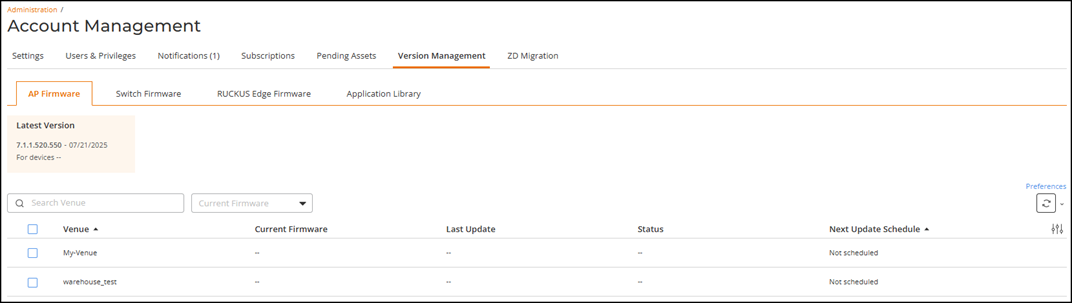
. The following sub-tabs are available:By default, the AP Firmware page is displayed.
This page displays the following information:
- Latest Version: The latest firmware version recommended by RUCKUS for devices. Click the Show more option to display the firmware version currently running on APs in the venue. Click the Show less option to revert the display to only the Latest Version information.
- Venue: The name of the venue.
- Current Firmware: The running version of the AP firmware for the APs present in that venue. The column displays one or more firmware versions depending upon the AP models present in that venue. You can pause the pointer over the firmware version to see the AP models running the firmware versions.
- Last Update: The date when the firmware was updated for the venue.
- Status: The status of AP firmware in that venue. Statuses include Up to date and Update available.
- Next Update Schedule: The date of the next scheduled firmware update.
An
 icon in the tab name provides a visual indicator when new updates are
available; pausing your cursor over the icon displays text stating the same. You can search the list of venues by
entering a complete or partial venue name in the search field; all matching
venues are displayed. You can filter the venues using the Current Firmware
filter. You can sort the table entries by clicking on any table column
header; for example, click Last Update to reorder the table entries by the date of the last
update (in either ascending or descending order). For more information, see
Upgrading the AP Firmware Version in a
Venue.
icon in the tab name provides a visual indicator when new updates are
available; pausing your cursor over the icon displays text stating the same. You can search the list of venues by
entering a complete or partial venue name in the search field; all matching
venues are displayed. You can filter the venues using the Current Firmware
filter. You can sort the table entries by clicking on any table column
header; for example, click Last Update to reorder the table entries by the date of the last
update (in either ascending or descending order). For more information, see
Upgrading the AP Firmware Version in a
Venue. - (Optional) Select the
Switch Firmware tab to view the switch firmware
version. Updated for ACX-120659
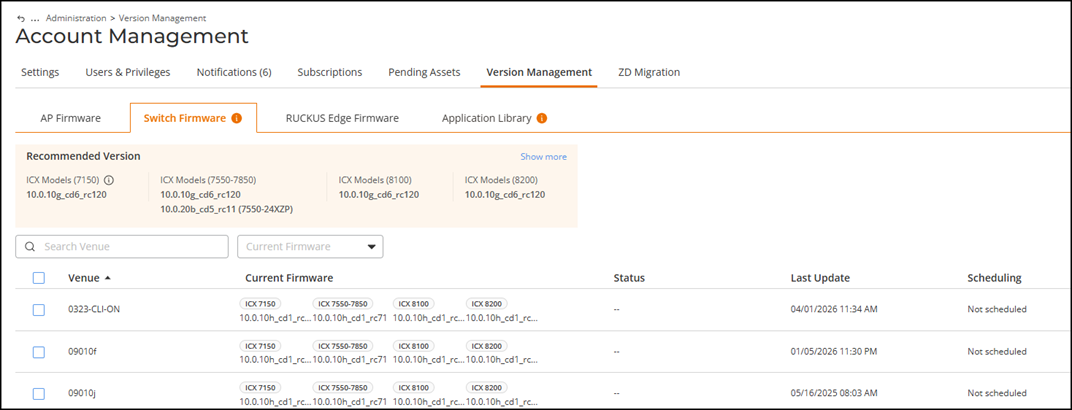
The Switch Firmware page displays the following information:
-
Updated for ACX-120659Recommended Version: Each model base supports a single recommended firmware version. The 7550-24XZP model is an exception and maintains its own recommended firmware version. Click Show More to view the latest firmware version for each model base.
- Recommended & Latest Version: The ICX switch model number, recommended firmware version for the model, and latest available firmware version with the date of release availability. Note that the recommended firmware version may not always be the same as the latest firmware version. Click the Show less option to revert the display to the Recommended Version information.
- Venue: The name of the venue.
- Current Firmware: The ICX switch model number and the FastIron firmware version currently running on it.
- Status: The upgrade status of the switches. If a firmware upgrade was recently applied, the Status column reflects the result and provides a Check Status option which opens a sidebar detailing the switch name, firmware update status, the firmware version applied, and the date and time of the firmware update.
- Last Update: The date when the firmware was updated.
- Scheduling: The next firmware update scheduled. Values include Not Scheduled and Multiple.
An
icon in the tab name provides a visual indicator when new updates are
available; pausing your cursor over the icon displays text stating the same. You can search the list of venues by
entering a complete or partial venue name in the search field; all matching
venues are displayed. You can filter the venues using the Current Firmware
filter. You can sort the table entries by clicking on any table column
header; for example, click Last Update to reorder the table entries by the date of the last
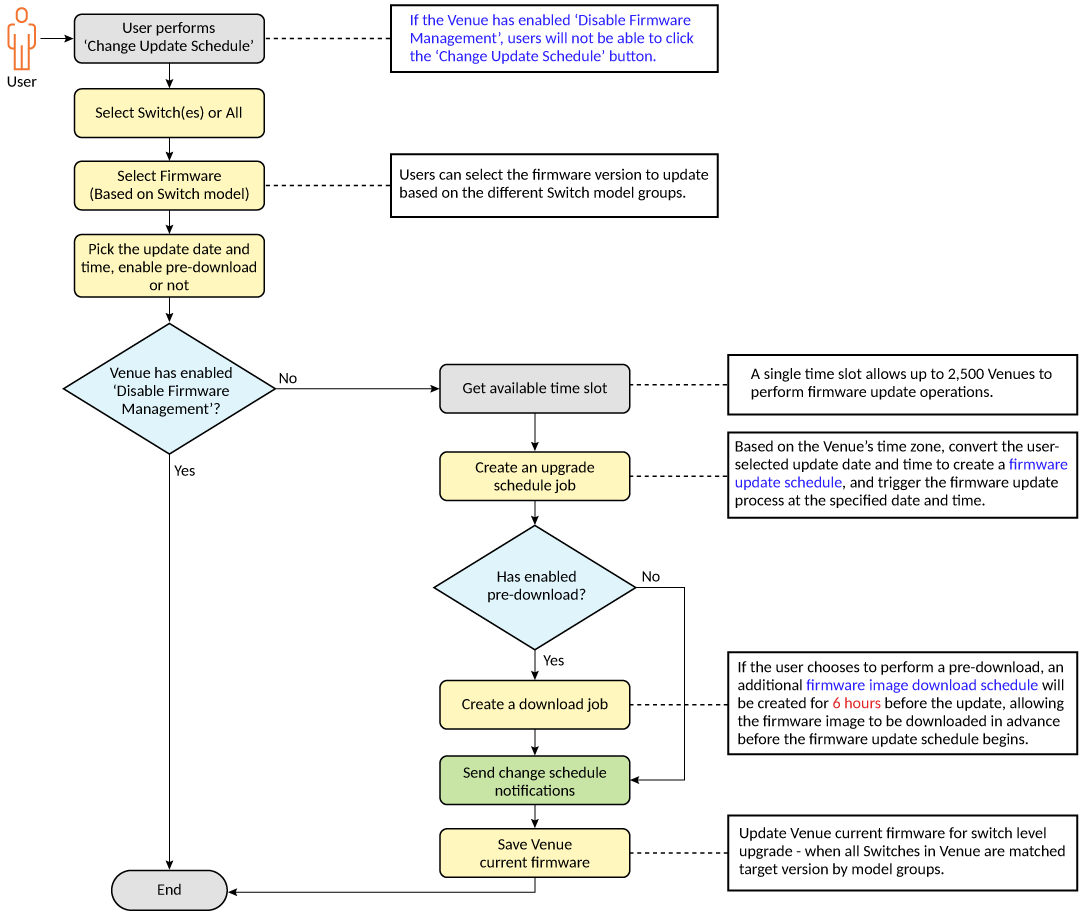
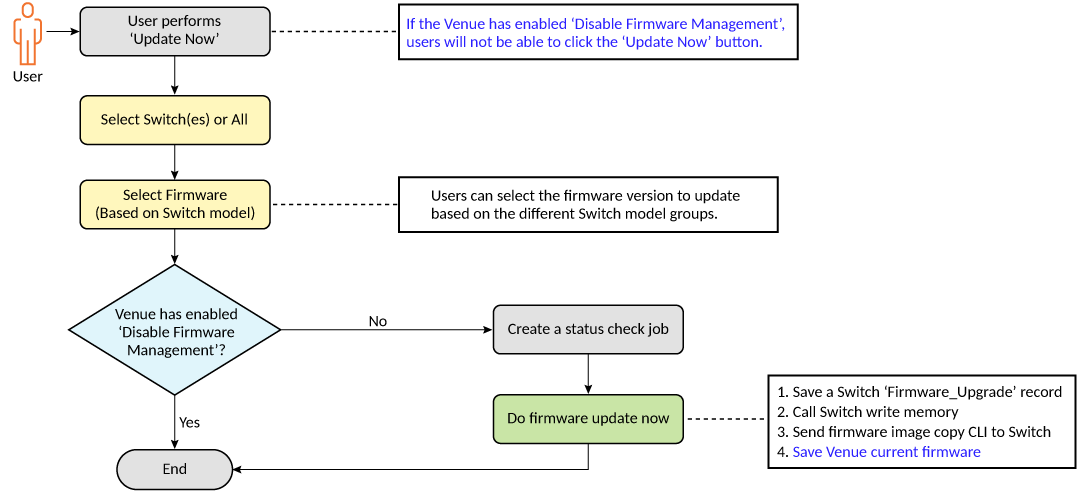
update (in either ascending or descending order). To update the firmware version for a switch, change the update schedule, or cancel a switch firmware update at the venue level, refer to Upgrading Switch Firmware at the Venue Level. To update the firmware version for a switch, change the update schedule, or cancel a switch firmware update at the switch level, refer to Upgrading Switch Firmware at the Switch Level.
-
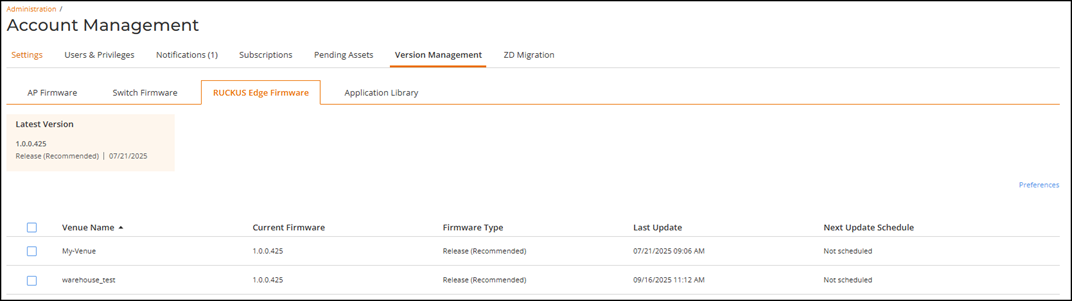
- (Optional) Select the RUCKUS Edge Firmware tab to view the
latest RUCKUS Edge firmware version.The RUCKUS Edge Firmware page is displayed.For more information, see Upgrading RUCKUS Edge Firmware Version .
-
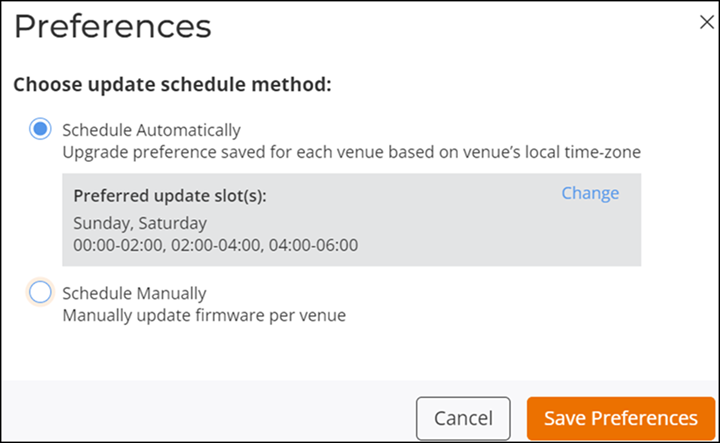
Updated for ACX-120659(Optional) Set your firmware update scheduling preferences. This option is available on all of the Firmware-related sub-tabs except the Switch Firmware tab and applies the selected preferences at the venue level.
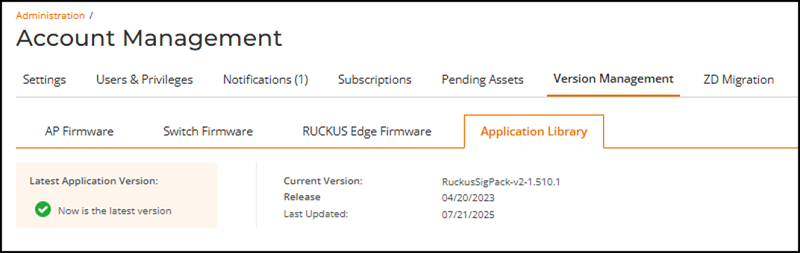
- (Optional) Select the Application Library tab to view the latest application version and manage application updates for your RUCKUS tenant account.