Allowing Sign-In Using LinkedIn
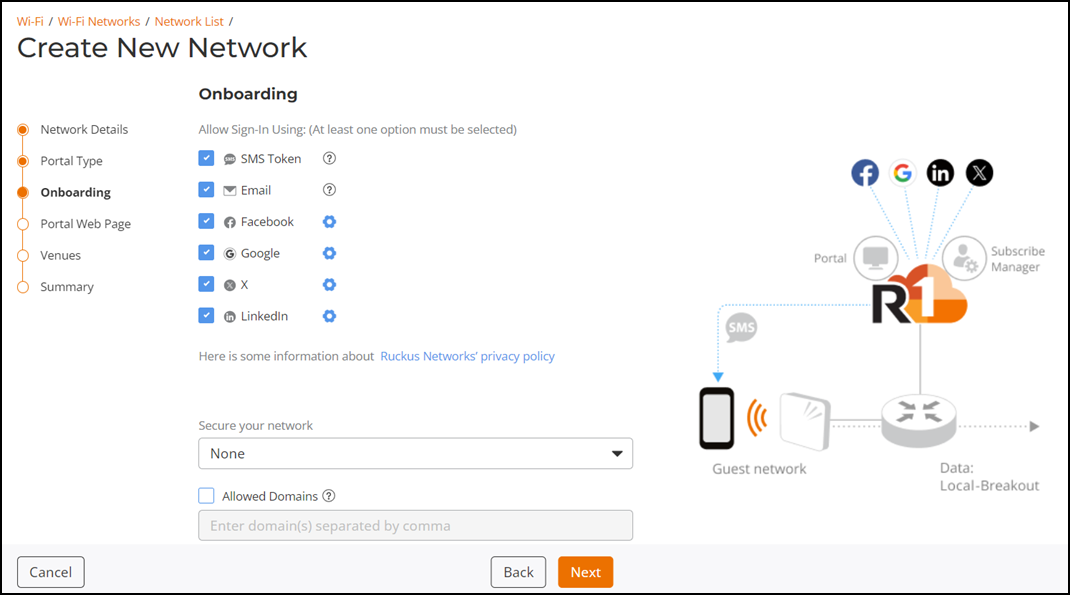
When creating a captive portal network
with self sign in, you can allow users to register with their LinkedIn using OpenID
Connect.
- Select LinkedIn.
- Click the settings icon next to LinkedIn.
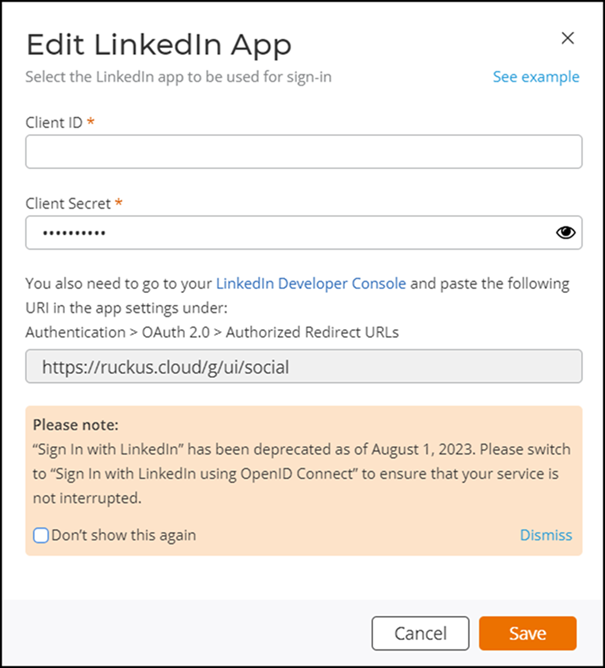
- In the Client ID and Client Secret fields, you must enter the valid user credentials and click Save.
- (Optional) Click See sample to view an example of the Self Sign In screen.
- When you have finished viewing the sample screens, click OK.
- Click Copy to clipboard to copy the displayed URL.
- Click LinkedIn Developer
Console. The LinkedIn Developer window is displayed.
- In LinkedIn Developer window, click , and paste the copied URL in the Authorized Redirect URLs field.
- Click Save.