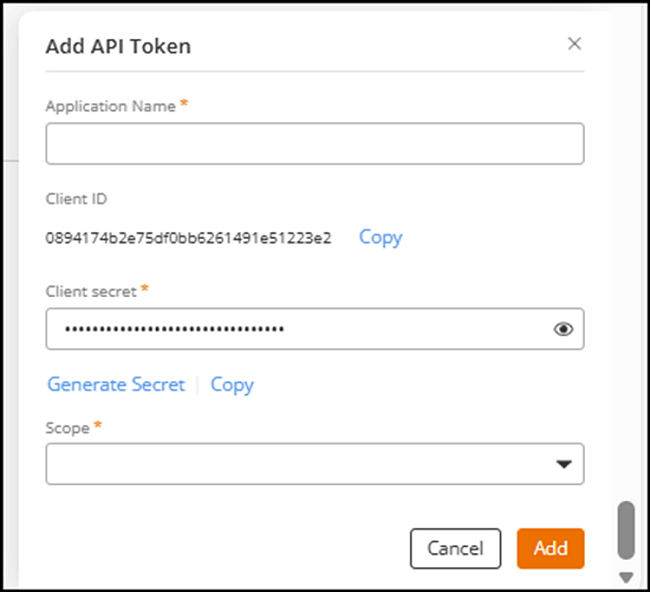
Generating an Application Token
You can generate an application token to
enable secure API communication between a third-party application and RUCKUS One. You can
generate an application key and use the client ID and shared secret to authenticate
the
application for API usage.
- Click Manage My Account to go to the tenant portal for your own account.
- On the navigation bar, select .
- Click Add Application Token.
- Enter the Application Name.
- Click Copy to copy the Client ID.
- (Optional) Click Copy to copy the client secret.
- Select Scope. The options are:
- Click Add.The API token generation is complete.