Matching Admin Password to Venue
The Admin password is editable at the
venue level by performing a venue configuration update, where you are also given
the option
to apply the edited password to all existing switches in the venue, as well as automatically
assign it to any new switch joining the venue.
- On the navigation bar, click . The Switch page appears, displaying the list of switches and pertinent information.
- (Optional) For operational
switches with a Custom admin password, to match their admin password with that
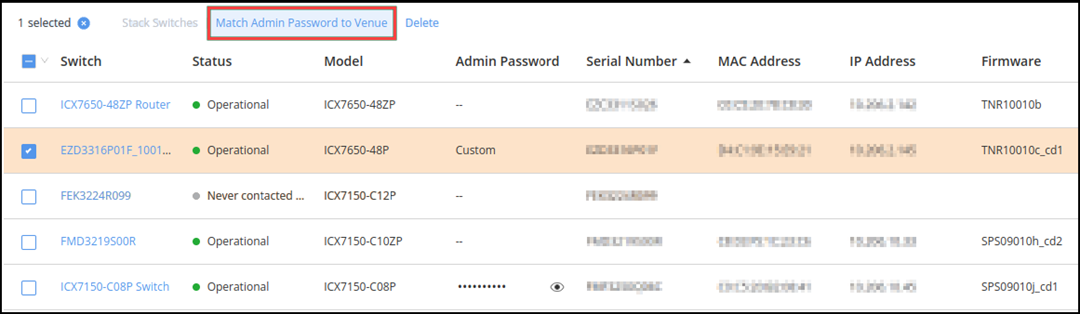
of the venue, select one or more switches and click Match Admin
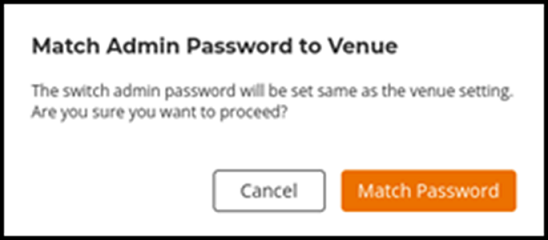
Password to Venue.The Match Admin Password to Venue dialog box is displayed. Click Match Password to match the password.
- Note:
- This feature is only supported on ICX switches running firmware versions later than 9010j_cd1 for the 9010 series firmware, or later than 10010c_cd1 for the 10010 series firmware.
- If the Admin Password column displays "--", then the switch does not support this feature, or data synchronization is not yet complete. Therefore, RUCKUS One cannot determine if the administrator password for the switch matches the password set in the venue.
- If the Admin Password column displays the eye icon, then admin password already matches, so the Match Admin Password to Venue option is unavailable.