Viewing Syslog Server Policy Details
- TCP: Logs are sent to the Primary Server. If the Primary Server becomes unavailable, log forwarding automatically switches to the Secondary Server. When the Primary Server becomes available again, forwarding returns to the Primary Server.
- UDP: Logs are sent simultaneously to both the Primary and Secondary Servers.
Complete the following steps to view the Syslog Server policy details:
- From the navigation bar, select
.The My Services page is displayed.
- In the My
Services page, click the Syslog Server tile.
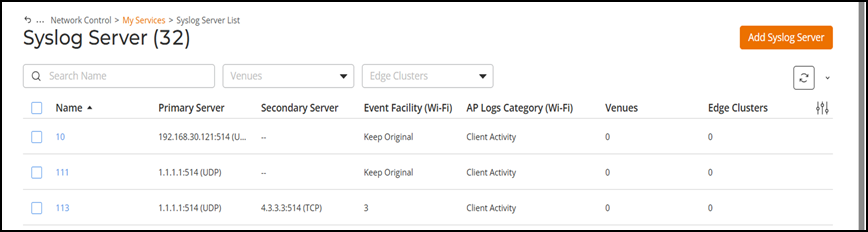
The Syslog Server page is displayed. The table lists all of the Syslog Server policies defined in the RUCKUS One account.
You can use the Search option to display only the table entries matching the specified name; enter a minimum of two characters. Additionally, you can filter the list by selecting one of the options from the Venues and Edge Clusters drop-downs. Click Clear Filters to reset the filters. You can sort the list by clicking the associated column header.
You can customize which fields appear in the table by clicking the icon and selecting or deselecting the desired column names. Drag and drop individual column names up or down the list to customize the left‑to‑right column display in the table. Optionally, you can click Reset to default to restore the default subset of columns.
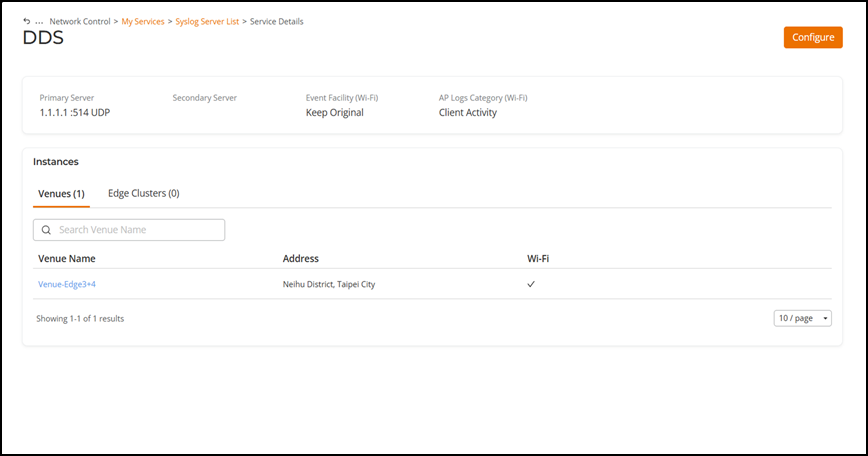
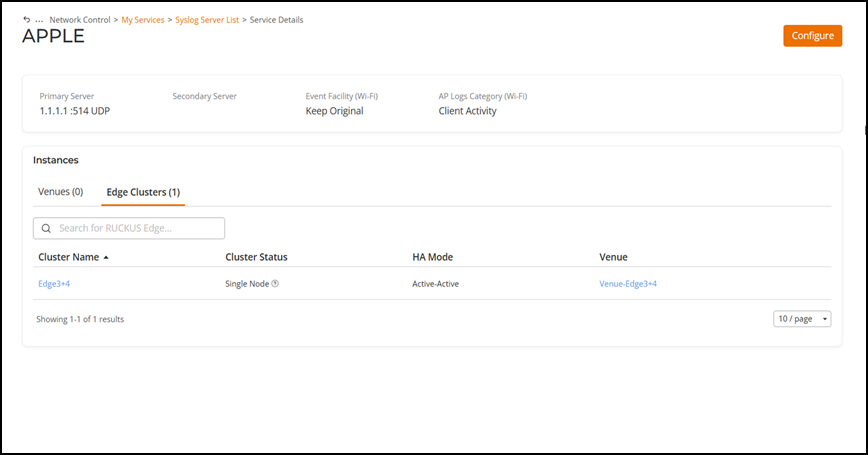
- In the Name
column, click on the name of the policy to view additional details.The selected policy's details page is displayed. You can see the basic Syslog Server policy details, followed by details for the associated venues (such as name, address, and Wi-Fi information) and the associated Edge Clusters (such as name, status, HA mode, and venue). Access these additional details using the Venues and Edge Clusters tabs.