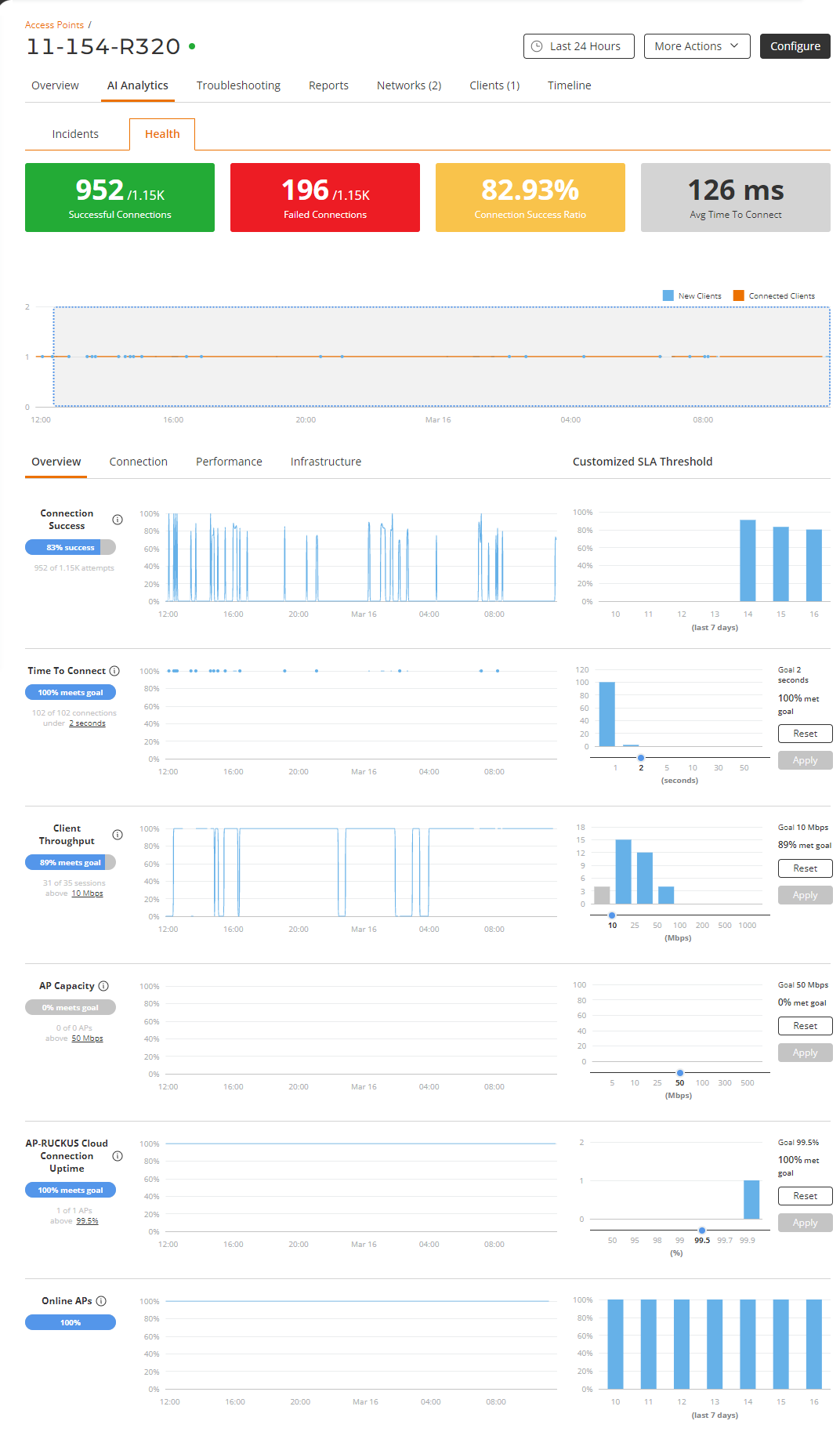
Health Analytics of Wi-Fi Devices
The health analytics provides information
about APs by giving insights about key performance indicators (KPIs) of the APs.
The
information allows you to analyze the APs in real time. You can evaluate AP status
based on
a variety of thresholds that you are allowed to set, called goals.
- On the navigation bar, click
Wi-Fi, click Access Point List
under Access Points.The Wi-Fi page is displayed.
- On the Wi-Fi page, select the AP that you want to check the health status.
- Select the AI Analytics tab
and click Health sub-tab.
At a high level, the Health tab also displays the number of successful connections, failed connections, connection success ratio, and the average time to connect.
For more information on health analytics and setting thresholds, refer to Health.