Downloading the AP Logs

An AP log contains information such as the AP system, configurations, and the AP runtime status, which are useful for troubleshooting. When you request for technical support, RUCKUS Networks asks you to download and share the AP log for analysis.
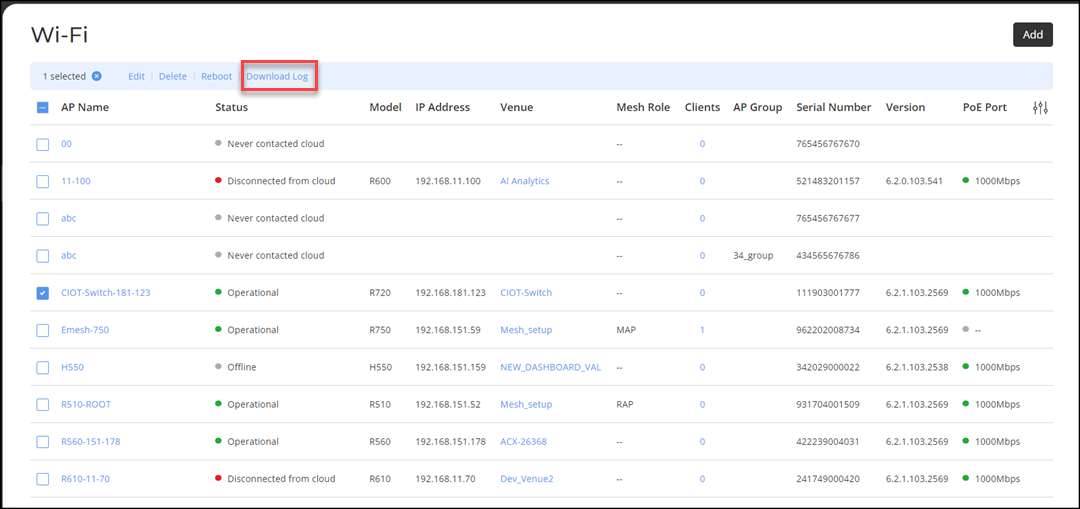
Complete the following steps to download the AP logs.
  1. On the navigation bar, click Wi-Fi, click Access Point List under Access Points.
    The Wi-Fi page is displayed.
  2. Check the name of the AP from which you want to download the AP log.

    Downloading AP Log

  3. Click Download Log to download AP logs.