Using a QR Code to Join a Wi-Fi Network
Instead of entering a Wi-Fi password
manually, you can join a Wi-Fi network using a QR code.
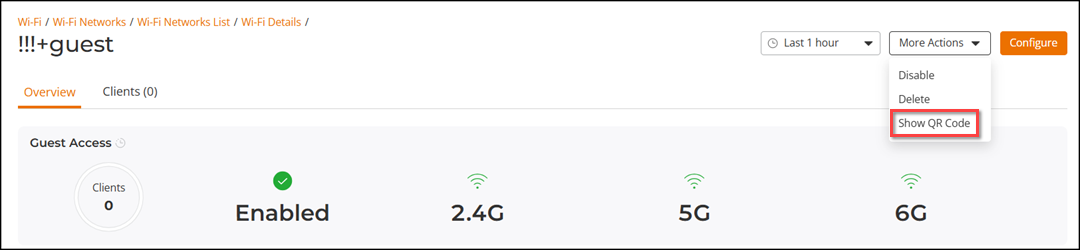
- From the main menu, click and click a WLAN name to open its Wi-Fi details page.
- Click . A drop-down list is displayed.
- Select Show QR Code.
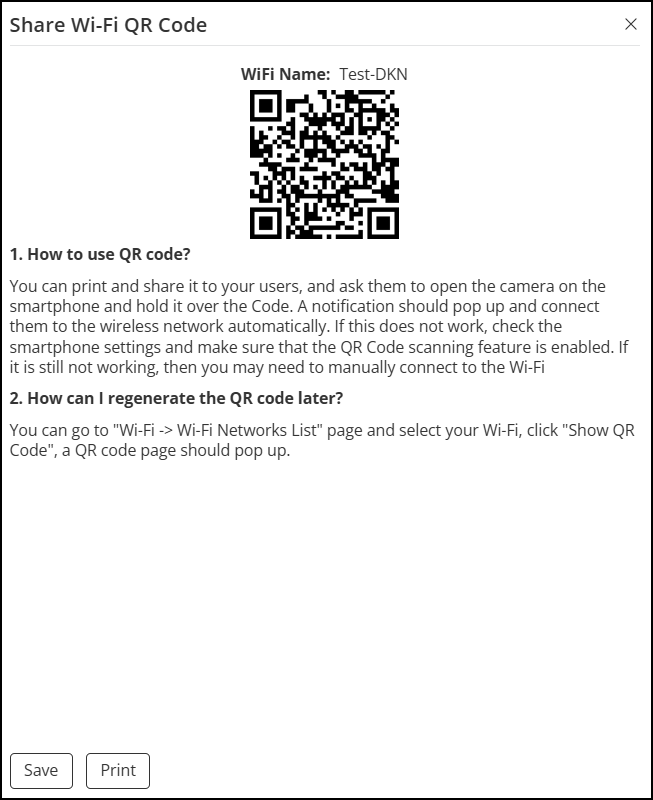
- In the Share Wi-Fi QR
Code page, you can perform the following actions.
- Click Save to download the QR code.
- Click Print to print the QR code.
- Scan the QR code using a smartphone camera to connect to the Wi-Fi network.