You are viewing a cached version of this page.
You are currently offline. This page was loaded from cache.
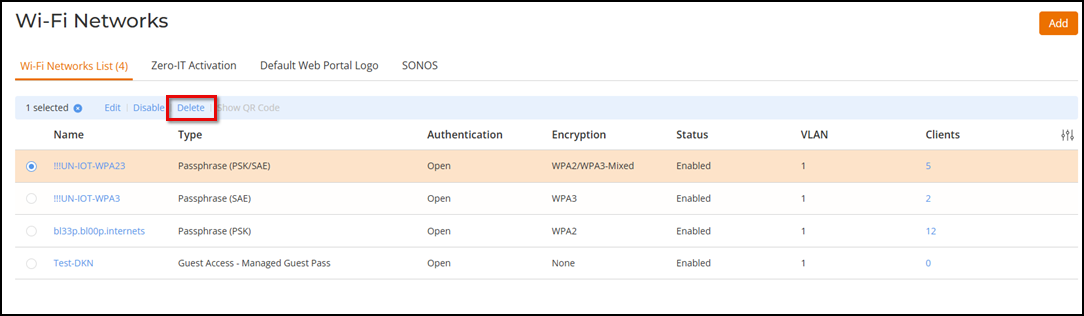
Complete the following steps to delete a WLAN.
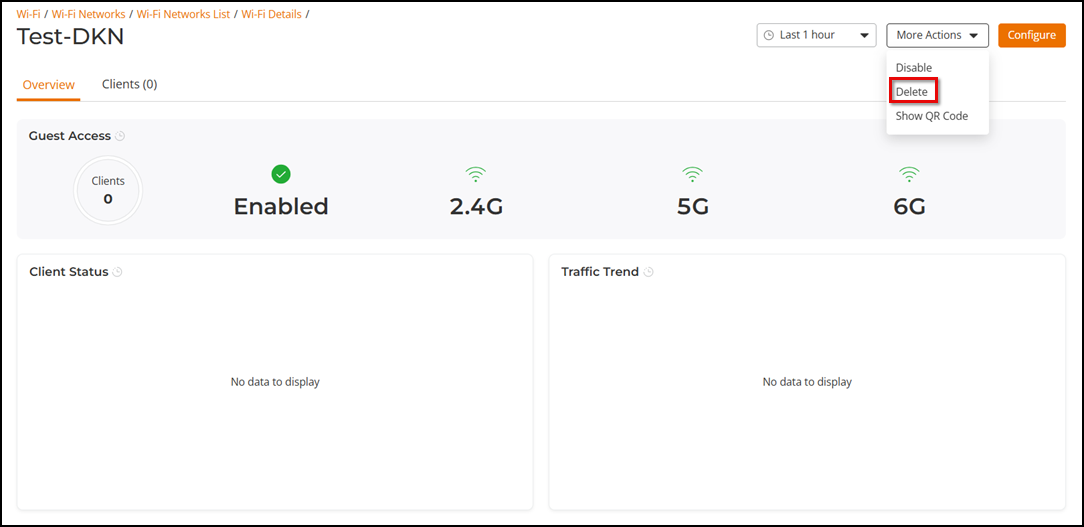
Alternatively, click on the WLAN name to open its Wi-Fi details page, then click More Actions > Delete.
A confirmation message is displayed.
Did you find what you were looking for?