Supported Mesh Topologies
Smart Mesh networks can be deployed in three types of topologies:
Standard Topology
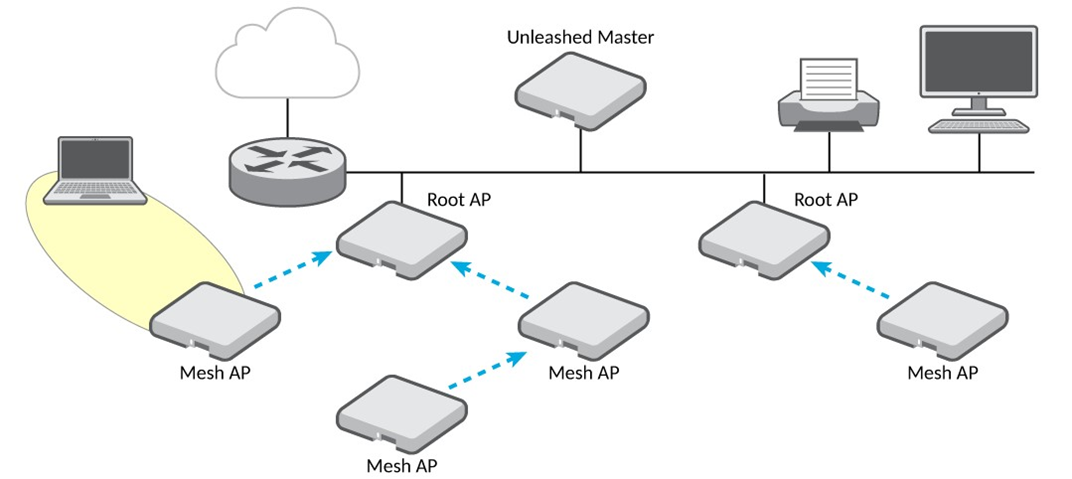
The standard Smart Mesh topology consists of the Master AP and a number of Root APs and Mesh APs. In this topology, the Master AP and the upstream router are connected to the same wired LAN segment. You can extend the reach of your wireless network by forming and connecting multiple mesh trees to the wired LAN segment. In this topology, all APs connected to the wired LAN are considered "Root APs," and any AP not connected to the wired LAN is considered a "Mesh AP."
Wireless Bridge Topology
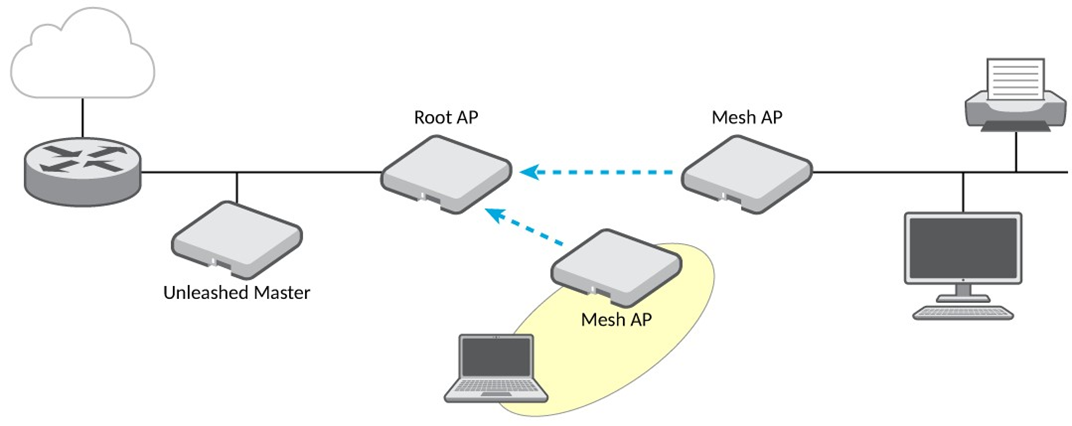
If you need to bridge isolated wired LAN segments, you can set up a mesh network using the wireless bridge topology. In this topology, the Master AP and the upstream router are on the primary wired LAN segment, and another isolated wired segment exists that needs to be bridged to the primary LAN segment. You can bridge these two wired LAN segments by forming a wireless mesh link between the two wired segments, as shown in the following figure.
Hybrid Mesh Topology
A third type of network topology can be configured using the Hybrid Mesh concept.
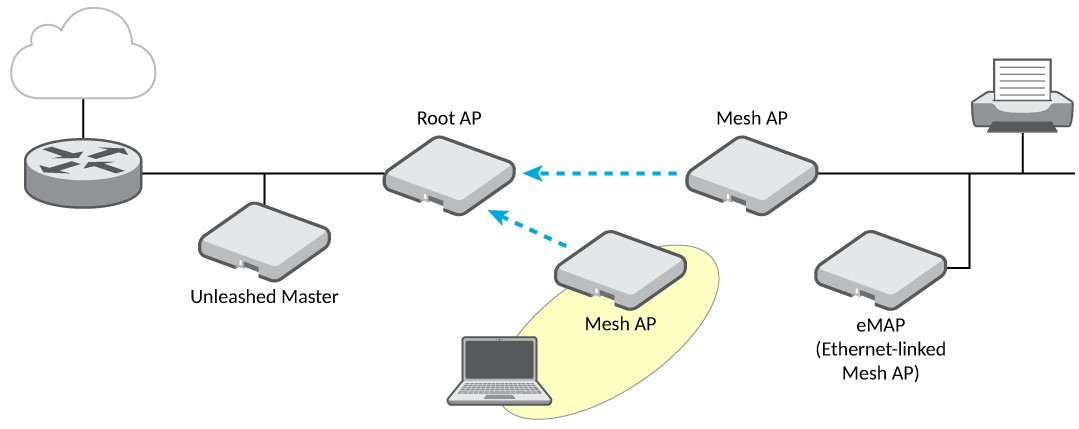
An Ethernet-linked Mesh AP (eMAP) enables the extension of wireless mesh functionality to a wired LAN segment. An eMAP is a special kind of Mesh AP that uses a wired Ethernet link as its uplink rather than wireless. An eMAP is not considered a Root AP, despite the fact that it discovers the Master AP through its Ethernet port.
Multiple eMAPs can be connected to a single Mesh AP, for example, to bridge a wired LAN segment inside a building to a wireless mesh outdoors.
In designing a mesh network, connecting an eMAP to a Mesh AP extends the Smart Mesh network without expending a wireless hop, and the eMAP can be set on a different channel to take advantage of spectrum reuse.