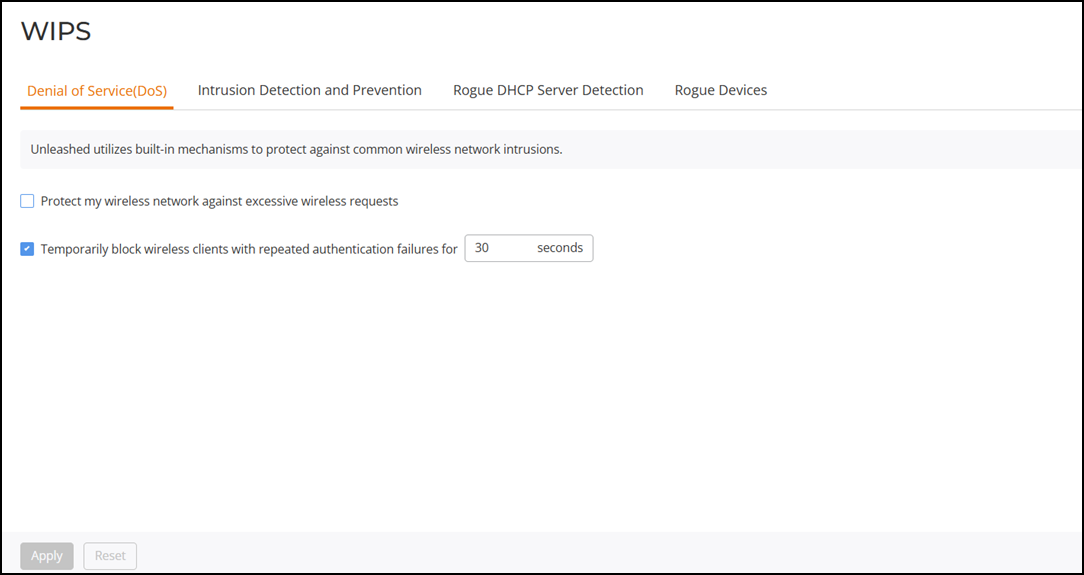
Denial of Service (DoS)
Two options are provided to protect the wireless network from Denial of Service attacks.
Complete the following steps to configure the DoS protection options.
-
UI path for UnleashedFrom the main menu, select .
- Select the Protect my wireless network against excessive wireless requests checkbox to discard excessive 802.11 probe request frames and management frames launched by malicious attackers.
- Select the Temporarily block wireless clients with repeated authentication failures checkbox to temporarily block any clients that repeatedly fail in attempting authentication, and enter the number of seconds to block the clients (the range is 10 through 1200 seconds; the default is 30 seconds).
- Click Apply to save your changes.