WLANs Deployed on an AP
You can view the list of WLANs that are
currently deployed on a specific AP in the WLAN List
tab.
Complete the following steps to view the list of WLANs that are deployed on a specific AP.
- From the main menu, select and click on an AP.
- In the AP
List page, click on an AP.
By default, the Overview page is displayed.
- Click the WLAN List tab. The following information is displayed:
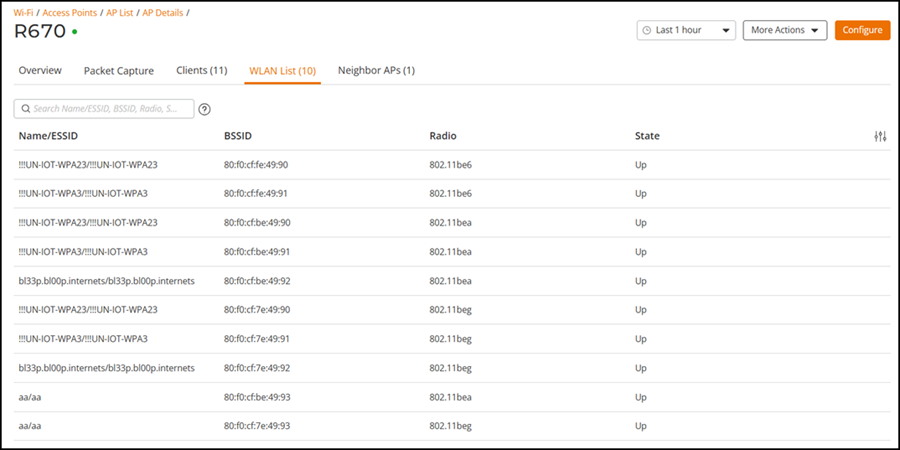
You can search the WLAN List table by Name/ESSID, BSSID, Radio or State. You can filter the Clients table by AP Name, Signal, and WLAN.