Viewing the Mesh APs
From the main menu, navigate to
tab to view the Mesh APs that are connected to the Unleashed
network.
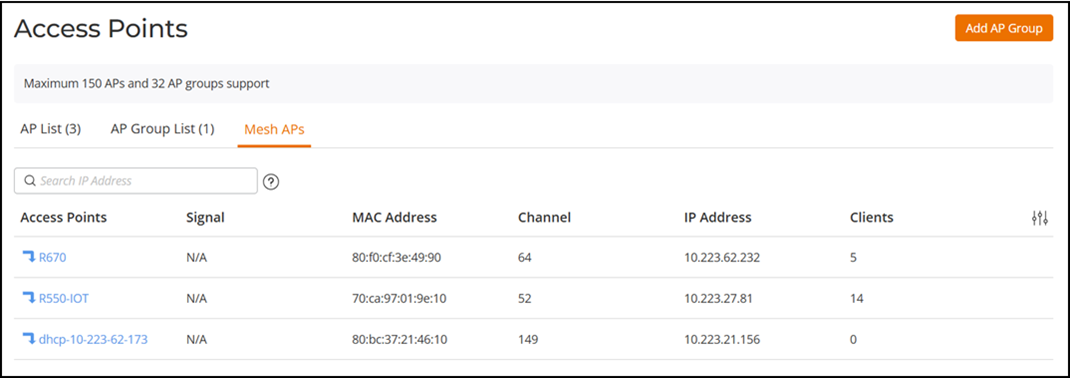
The Mesh APs table displays the relationships between Root APs and Mesh APs in the Mesh network. The table includes the following information:
- Access Points: Displays the APs in the Mesh by AP name. Pause the pointer over the AP name to view if the AP is a Root AP or Master AP.
- Signal: Displays the signal quality of the Mesh link to and from the uplink AP.
- MAC Address: Displays the MAC address of the AP.
- Channel: Displays the channel used by the Mesh link, as well as the channel width (20/40/80).
- IP Address: Displays the IP address of the Root AP or Mesh AP.
- Clients: Displays the number of clients connected to the AP.
You can customize which fields appear in
the Mesh APs table by clicking the  icon and
selecting or deselecting the desired column names. Optionally, you can click Reset to default to have
the default subset of columns appear in the Mesh APs table.
icon and
selecting or deselecting the desired column names. Optionally, you can click Reset to default to have
the default subset of columns appear in the Mesh APs table.
You can search the Mesh APs table using the IP address of an AP in the Search field. All matching APs are displayed.