Configuring Alarm Event Notification Settings

The web interface allows you to customize the content and delivery for a wide range of alarm events. When a matching event occurs, administrators can be notified either through email or the mobile app.
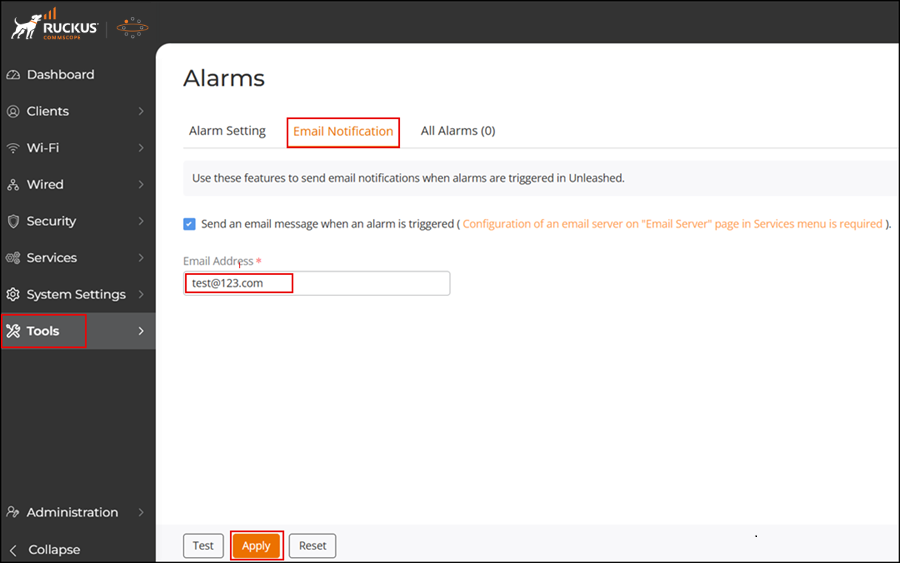
Complete the following steps to configure alarm event notifications and email or mobile app delivery.
  1. UI Path for Unleashed
    From the main menu, select Tools > Alarms > Email Notifications.
  2. Select the Send an email message when an alarm is triggered checkbox, and enter the destination email address for alarm notifications.
    Note: Before selecting email notification, an email server must have been configured from the System Info page (System Settings > System Management > System Info).
  3. Click Test to test email delivery. Click Apply to save your changes.
  4. To view all the alarms, navigate to Tools > Alarms > All Alarms.

    Alarm Notification Settings