Social Media WLANs
Social media WLANs allow guest users to
access the Internet using a social media account instead of using a WPA password
or Guest
Pass to log in.
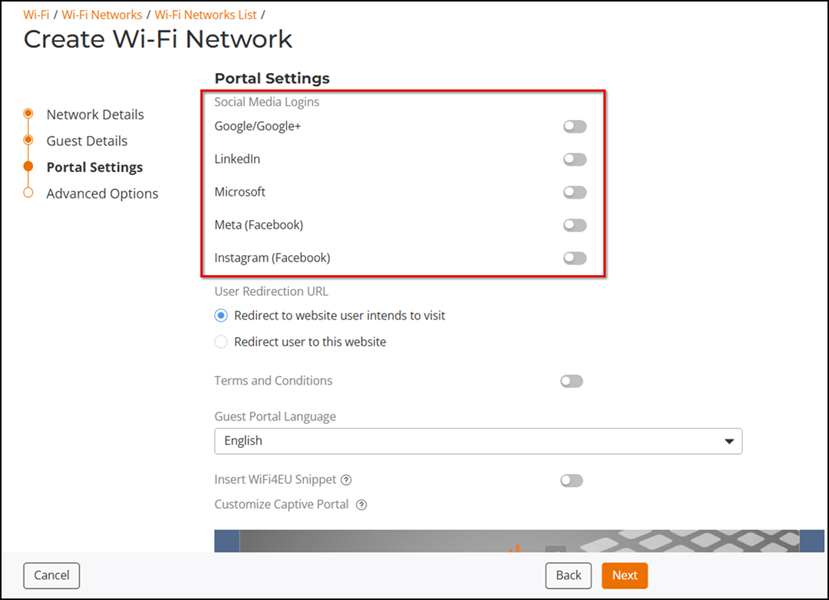
The following social media login methods are currently supported:
For each of these social media WLAN options, you must create an application or activate a service on the respective social media website before your users will be able to log in using their social media accounts.
Note: Beginning
with release 200.6, multiple social media login types can be enabled for the same
WLAN.
Complete the following steps to create a social media WLAN.
- From the main menu, click . In the Wi-Fi Networks page, click Add.
The Create Wi-Fi Network page is displayed.
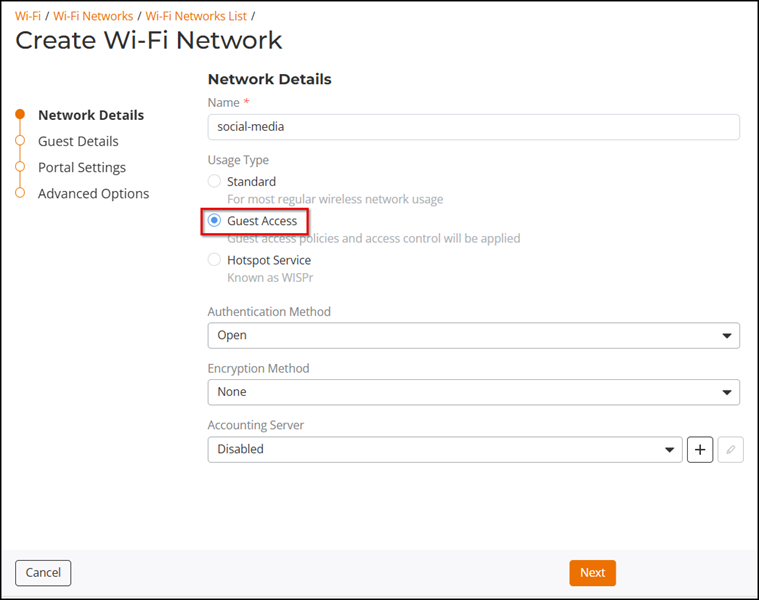
- In the Network Details page, enter the name of the Wi-Fi network and select Guest Access as the Usage Type. Click Next.
- Step through the Create Wi-Fi Network wizard until you reach the Portal Settings page (page name is dependent on the network type) to view the social media login options.