Backing up and Restoring a Switch Configuration
RUCKUS Unleashed ICX switch
management provides tools for performing a backup of the current ICX switch configuration
and restore to a previously saved configuration backup file.
- From the main menu, select , and select a connected switch from the device list.
- Click .Note: Only connected switches can backup and restore the configuration.Not sure if the status displays "Downloading".
The switch status displays Downloading as the configuration file is generated and prepared for download. When finished, the backup file is created as a .txt file that can be saved to your local computer.
- Save the backup file to a convenient location.
- To restore configuration settings from a previously saved backup file, select the switch and click .
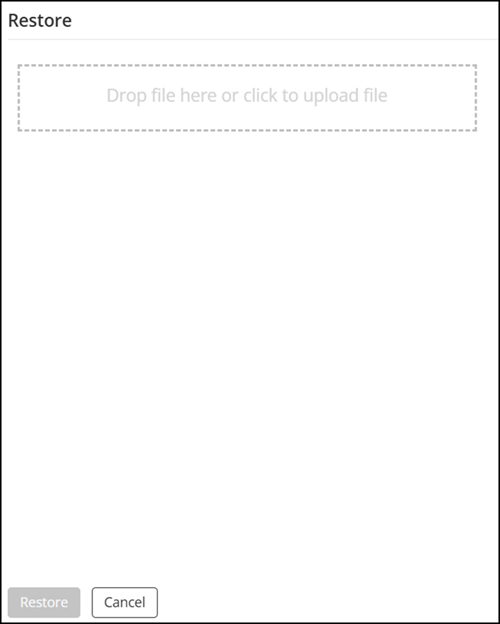
- In the Restore dialog box, drop a file in the area provided or click to upload a valid backup file.
- Click
Restore. A restore confirmation message is displayed. Click Yes to confirm.Do not have the option to restore.Please verify the step.
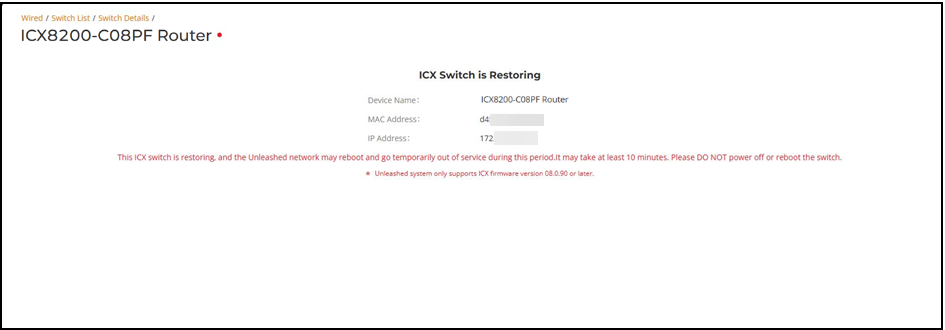
The ICX Switch is Restoring screen appears, notifying you that the restore process may take 10 minutes or more.
When the process is finished, the restored switch appears in the connected device list.