Client Connection Troubleshooting
The Client Connectivity Trace is designed
to help customers diagnose wireless and wired clients connection issues to determine
why a
client fails to connect to the wireless network.
Difference in UI path and
UI label for Unleashed and RUCKUS Blue
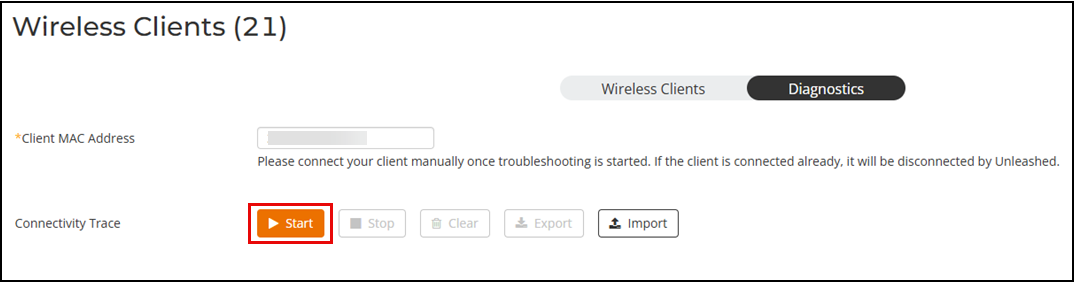
- From the main menu, select , then select the Diagnostics tab.
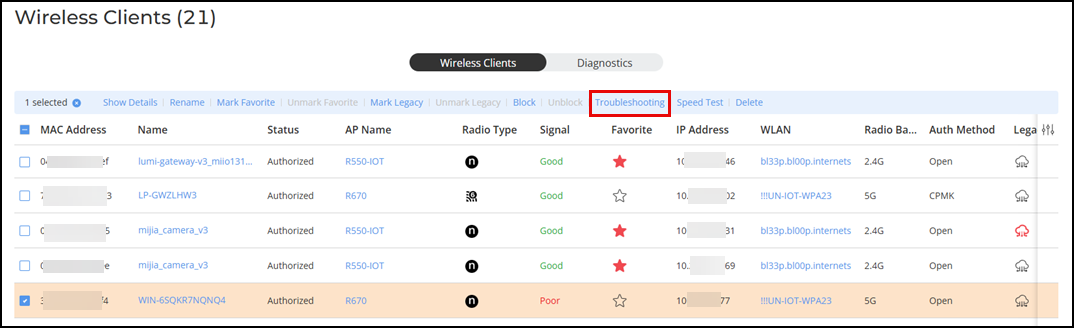
- Select the problematic client
from the list and click Troubleshooting. The Diagnostics tab is displayed.
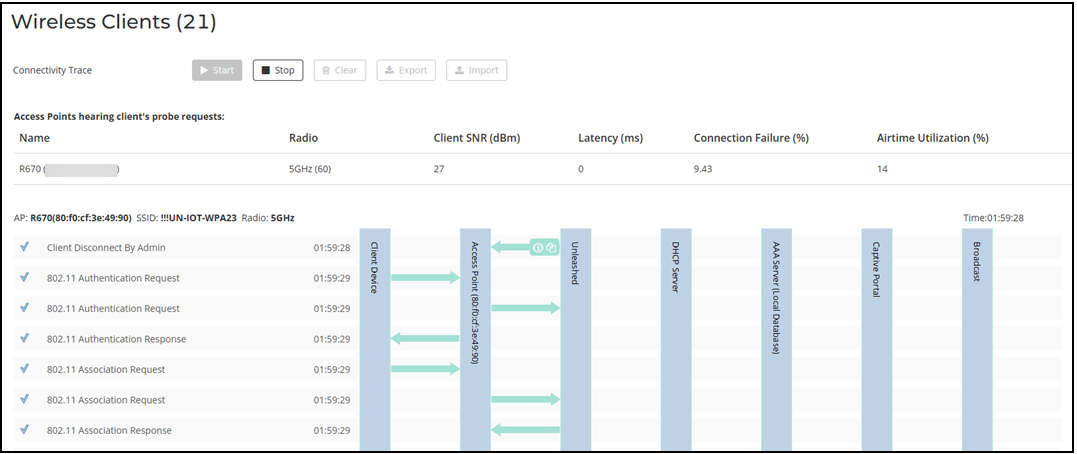
- In Connectivity Trace, click Start to begin. The connectivity trace begins and the page refreshes to display detailed results.
- Examine the results to isolate the problematic step in the process.