IP-Based User-Defined Applications

The following figure shows how to configure an IP-based user-defined application policy to identify a corporate accounting application.

RUCKUS Unleashed identifies wireless traffic matching this policy as "Well Paid Accounting" and displays this name in the application recognition pie charts and tables.

Complete the following steps to create an IP-based user-defined application.
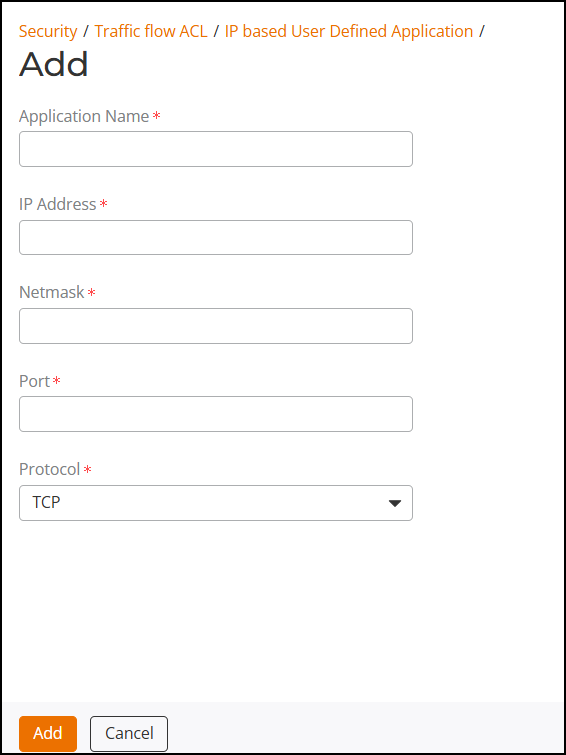
  1. Navigate to Security > Traffic Flow ACL > IP Based User Defined Applications.
  2. Click Add > IP Based User Defined Applications.
  3. In the Add sidebar, enter the following:
    • Application Name: Enter an application name. You can enter up to 32 characters.
    • IP Address: Enter a valid IP address.
    • Netmask: Enter a valid netmask IP address (for example, 255.255.255.0).
    • Port: Enter a port number or port range.
    • Protocol: Select a protocol (TCP or UDP) from the drop-down list.
  4. Click Add to add the application.

Creating a New IP-Based User-Defined Application