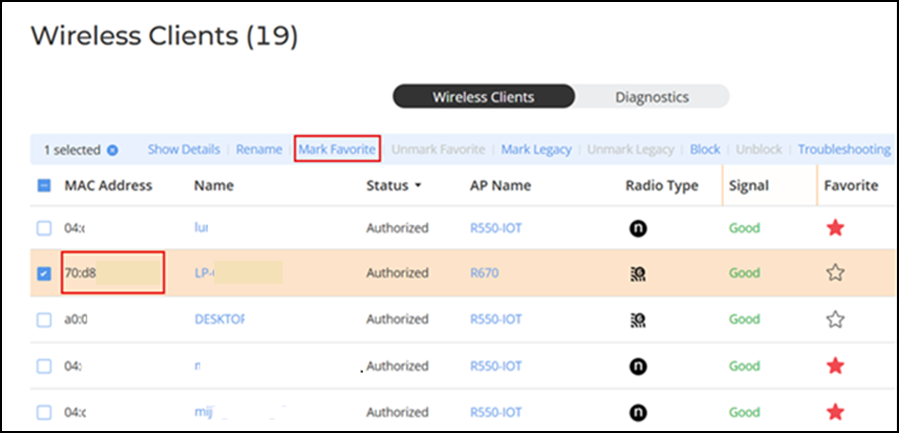
Marking a Client as a Favorite
Designating a client as a favorite client
provides a way to monitor the client's behavior. An alarm event is generated each
time a
favorite client goes online or offline.
You are viewing a cached version of this page.
You are currently offline. This page was loaded from cache.
Complete the following steps to mark a client as a favorite.
Did you find what you were looking for?