Configuring Gateway Mode
The Master AP can be configured to serve
as a gateway router.
-
Unleashed - difference in UI pathSelect .
- Under IP Settings,
enable the Gateway
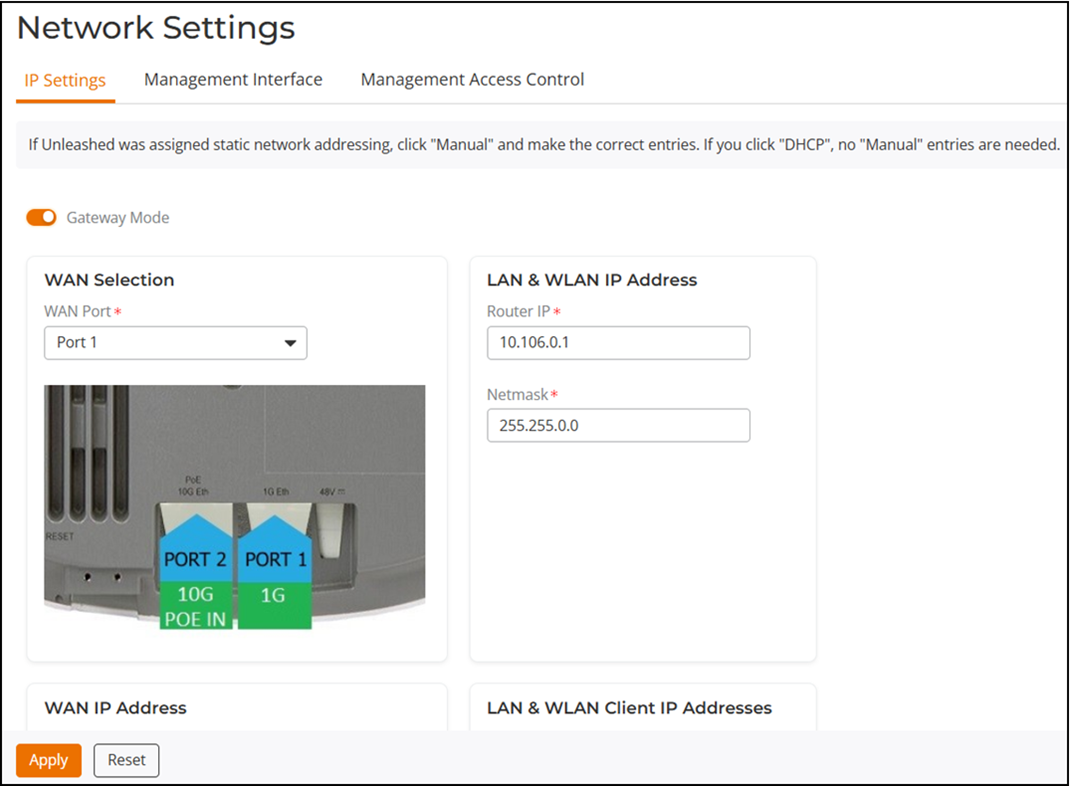
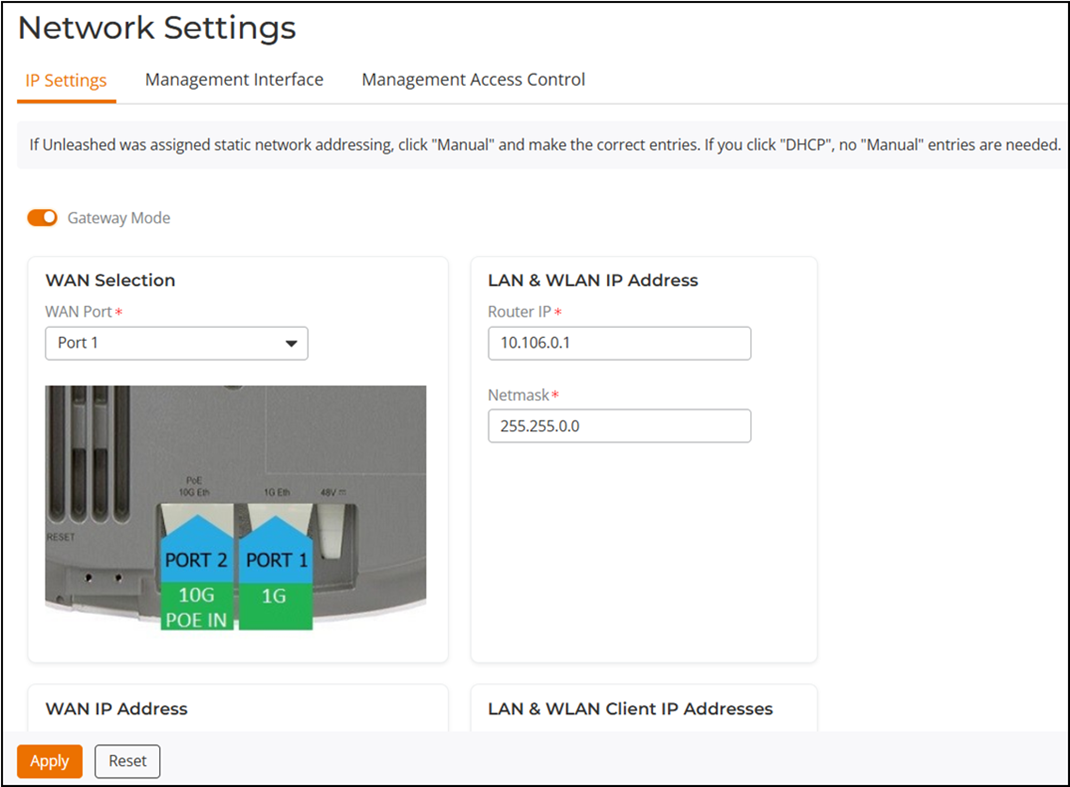
Mode option and configure the WAN and LAN IP address
settings.Note: Alternatively, in the factory default state, you can connect to the Master AP and perform the initial setup as described in Setup Using a Web Browser. Step through the Advanced Install wizard, go to the IP Settings page, and select the Gateway Mode checkbox. Refer to Advanced Install for more information.
-
UnleashedDesignate which port will be the WAN (uplink) port. The Gateway AP must have at least two Ethernet ports. Under WAN Selection, use the AP diagram to identify which port is LAN1 and LAN2 on the AP, and select the relevant port from the WAN Port list.
- Configure how the WAN (uplink) port obtains its IP address:
- DHCP (Dynamic): When DHCP (Dynamic) is selected, the WAN port is assigned an IP address automatically.
- Manual (Static): When Manual (Static) is selected, enter an IP address, netmask, gateway address, primary DNS server address in the required fields, and (optionally) enter the secondary DNS server address.
- PPPoE: When PPPoE is selected, enter the PPPoE username and PPPoE password in the fields provided.
- Configure local subnet settings for the LAN port:
-
Standy WAN port feature is applicable to Unleashed only.Designate which port will be the standby WAN (uplink) port and configure how the standby WAN port obtains its IP address:
- DHCP (Dynamic): When DHCP (Dynamic) is selected, the WAN port is assigned an IP address automatically.
- Manual (Static): When Manual (Static) is selected, enter an IP address, netmask, gateway address, and primary DNS server address in the required fields, and (optionally) enter the secondary DNS server address.
Note: A standby WAN port is applicable only for the H350 AP and H550 AP. - Click Apply. Once setup is complete, the Gateway AP will begin providing DHCP and NAT service for clients, and clients will be assigned IP addresses from the DHCP scope that you configured.