Create an Application Policy
Application policies can be configured to
control access to applications or to control traffic generated by applications.
Note: For more information on application policies,
refer to Application Policies.
In addition to creating an application policy directly from the WLAN advanced options by navigating to tab, and then apply them to your WLANs one by one from the WLAN advanced options.
Complete the following steps to create an application policy.
-
Reuse content for Unleashed (UI label difference - Admin & Services)From the main menu, select .
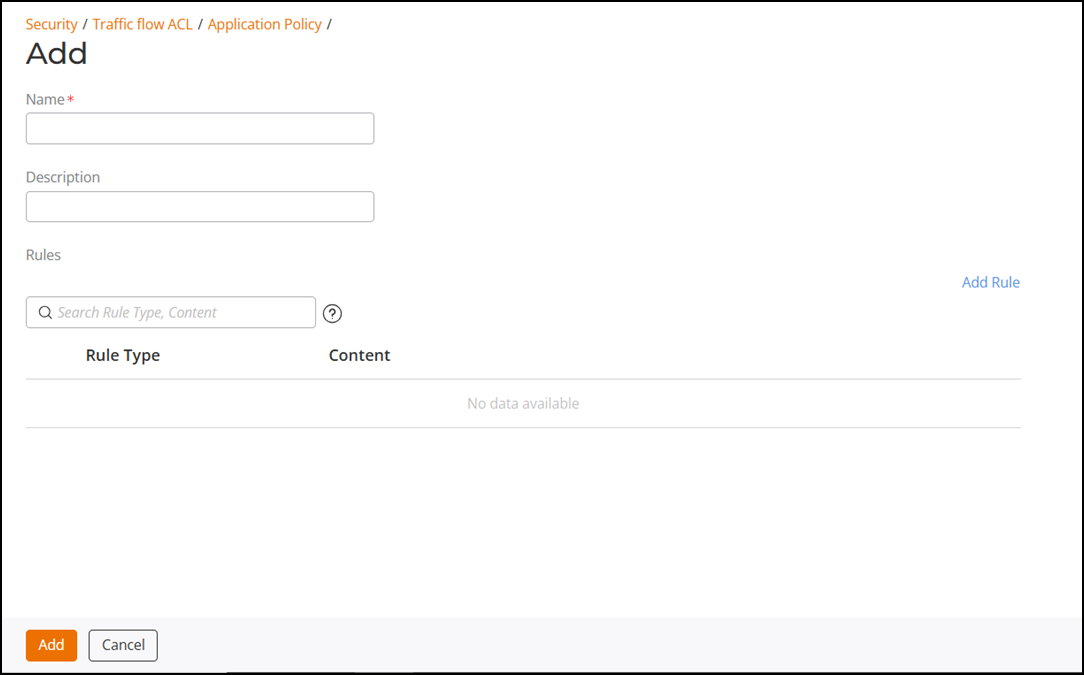
- In the Traffic Flow ACL page, click .
- Enter a name for the policy, and (optionally) enter a description.
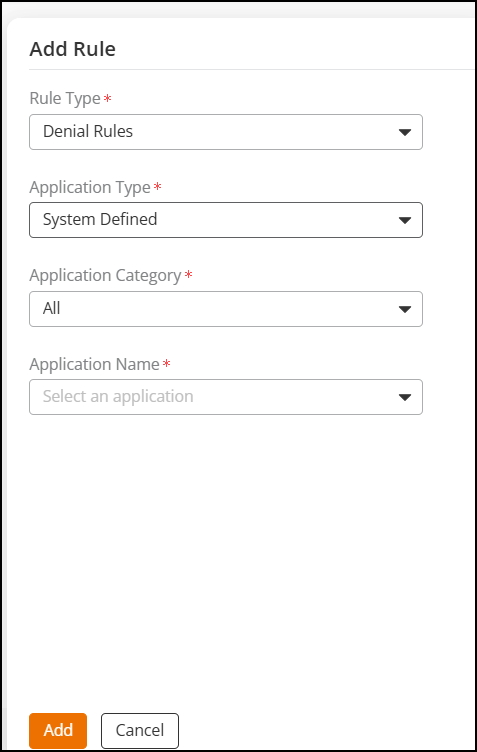
- Under Rules, click Add Rule to create a new rule for this policy.
- In Rule Type, select the type of application control policy to enforce:
- In Application Type, select HTTP domain name or port.
- If Rule Type is set to Rate Limiting or QoS, configure the uplink and downlink speeds for rate limiting or the QoS marking and priority rules for QoS rules.
- Click Add to add the rule.
- Click Add to add the policy to the list.