Designating a Preferred Master AP
The Preferred Master settings
allow an administrator to manually designate the primary and secondary preferred
Master
APs.
By default, there is no preference as to which AP should become the Master AP. The first AP that is deployed becomes the Master AP automatically. If the Master AP goes offline for any reason, any other Ethernet-connected member AP can take over the role of the Master AP.
By using the Preferred Master option, the administrator can designate the APs that will have a priority as the Master AP.
Complete the following steps to configure the primary and the secondary preferred Master APs.
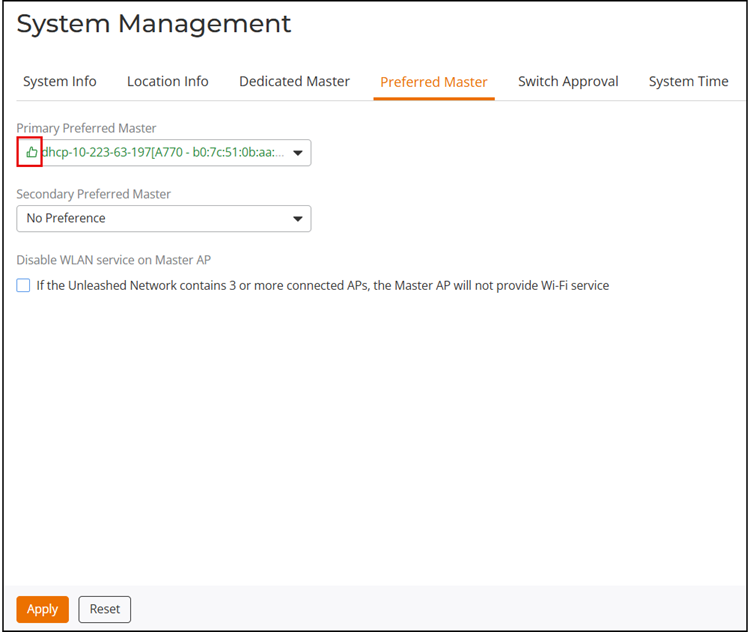
 ("thumbs up"
symbol), as shown in the following figure and you can choose this AP as the
primary preferred Master.
("thumbs up"
symbol), as shown in the following figure and you can choose this AP as the
primary preferred Master.