Upgrading ICX Switch Firmware
Upgrade to Unleashed management requires
FastIron firmware version 08.0.90 or later.
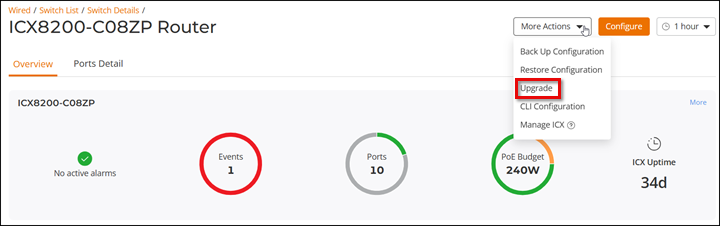
- From the main menu, select . In the Switches page, click a connected switch from the device list. The Overview page is displayed.
- Click .
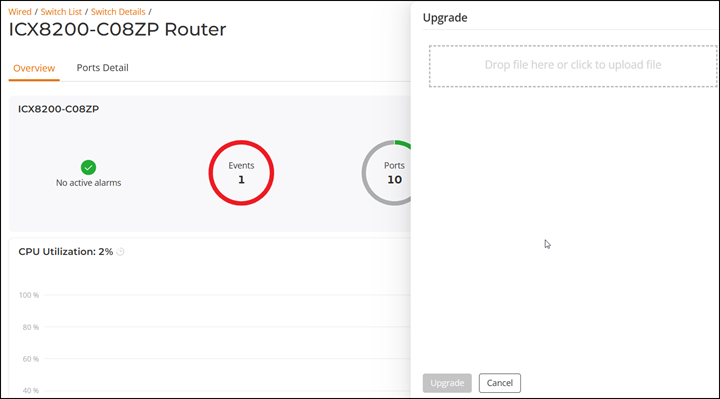
- Click the Upgrade tab and upload a valid FastIron image file.
- Click Upgrade. A warning message appears notifying you that the upgrade will cause a power outage to your Unleashed APs. Click Yes to continue.
- When the upgrade is complete, Unleashed reboots and displays the switch in the connected device list.
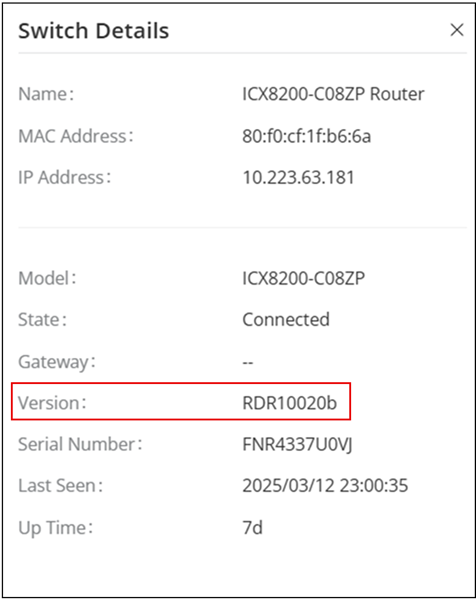
- Verify the new firmware version from the Overview page.