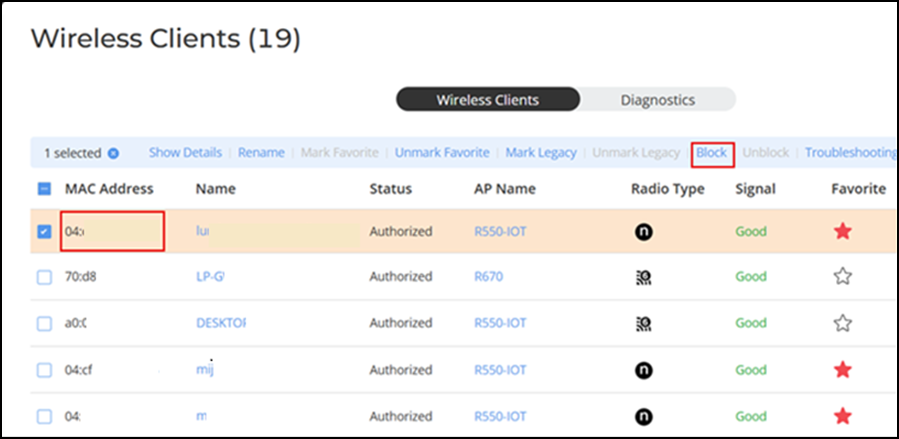
Permanently Blocking a Client Device Complete the following steps to permanently block a client device from WLAN connections. Difference in UI path in Unleashed and RUCKUS Blue From the main menu, select Clients. In the Status column of the clients list, identify any unauthorized users. Select the unauthorized user from the clients list and click Block to move the client to the list of blocked clients. Blocking a Client Permanently The status of the client is changed to Blocked, preventing the listed device from using your RUCKUS WLANs. Parent topic: Working with Clients