SNMPv2
Complete the following steps if your network uses SNMPv2.
- From the main menu, select
. The Network Management page is displayed.
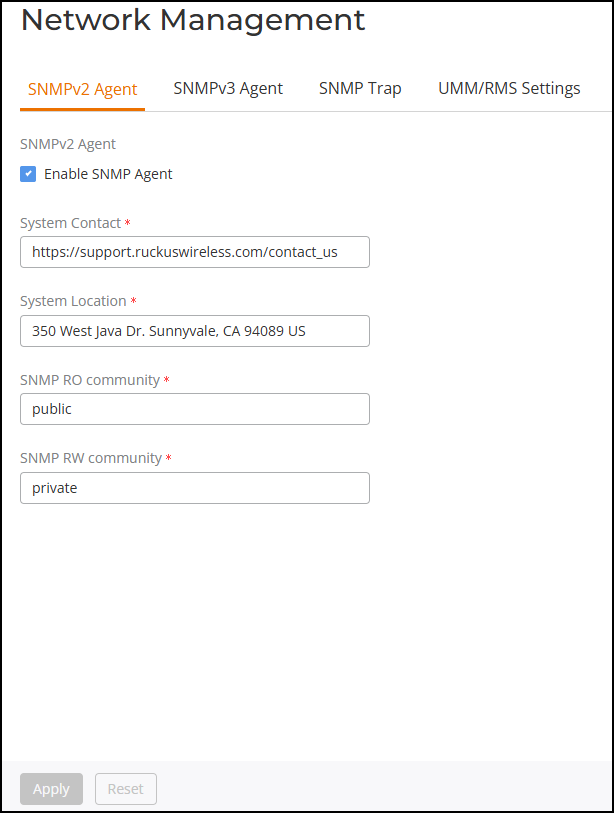
- On the SNMPv2 Agent tab, select the Enable SNMP Agent
checkbox and enter the information in the following fields.
- System Contact: Type your email address (optional).
- System Location: Type the location of the ZoneDirector device (optional).
- SNMP RO community (required): Set the read-only community string. Applications that send SNMP Get-Requests to RUCKUS Unleashed (to retrieve information) will need to send this string along with the request before they will be allowed access. The default value is public.
- SNMP RW community (required): Set the read-write community string. Applications that send SNMP Set-Requests to RUCKUS Unleashed (to set certain SNMP MIB variables) will need to send this string along with the request before they will be allowed access. The default value is private.
- Click Apply to save your changes.