AP Power Warnings
Beginning with release 200.8, the RUCKUS Unleashed web interface displays warning icons when an AP is operating in reduced power mode.
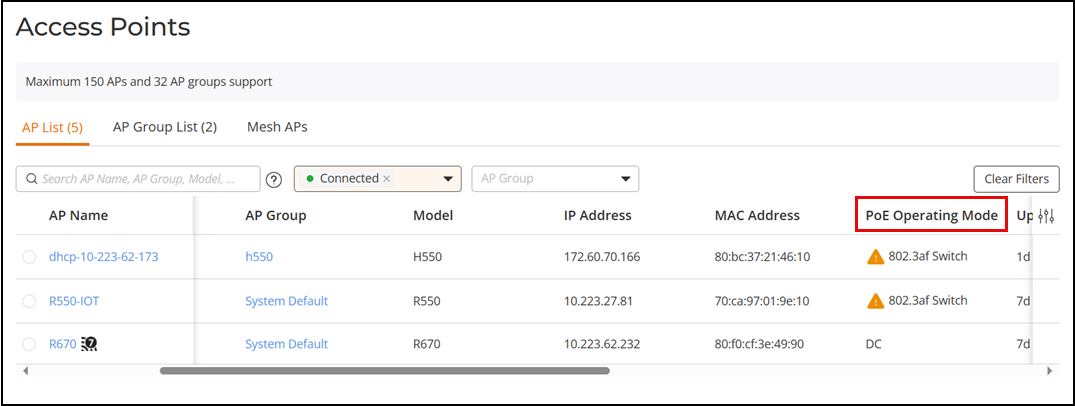
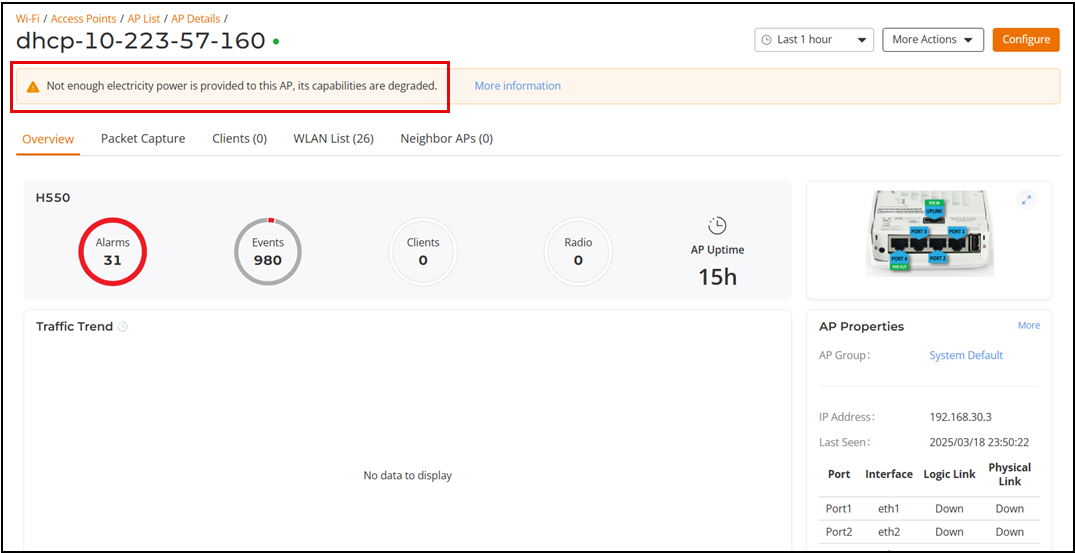
Select page and check the PoE Operating Mode column, You can click on a specific AP in the AP List page, the Overview page displays a warning message. Click More Information to view the PoE dettails.
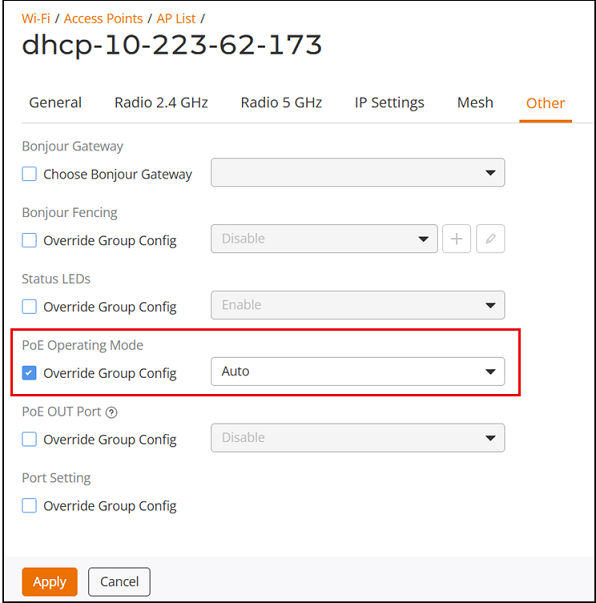
If power supply deficiency is caused by incorrect power-level negotiation between the AP and the switch/PoE injector, you can enforce the AP power level on the configuration page of the AP by completing the following steps.
- Select the AP checkbox displaying
 icon,
then click Edit. Alternatively, click on a specific AP and then in the
Overview page, click Configure.
icon,
then click Edit. Alternatively, click on a specific AP and then in the
Overview page, click Configure. - In the Edit page, click the Other tab.
- Under PoE Operating Mode, select the Override Group Config checkbox and select a power mode from the list, and click Apply.