Managing Rogue Devices
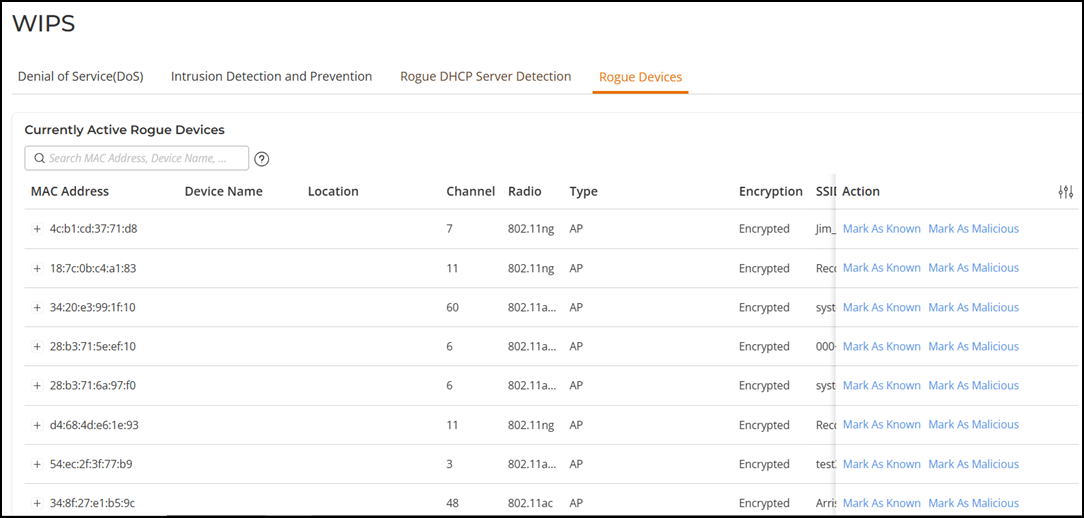
The Rogue Devices screen displays all currently active rogue APs that have been detected by any of the RUCKUS Unleashed APs on the network.
Complete the following steps to monitor rogue devices and mark specific rogues as either "known" or "malicious" rogue APs.-
For UnleashedFrom the main menu, select .
- Under Currently Active Rogue Devices, take note of any rogue APs marked as malicious.
- In the MAC
Address column header, click
 icon to view which APs are detecting this rogue AP, and use this information
to
find the rogue AP in your site so you can remove it.
icon to view which APs are detecting this rogue AP, and use this information
to
find the rogue AP in your site so you can remove it.
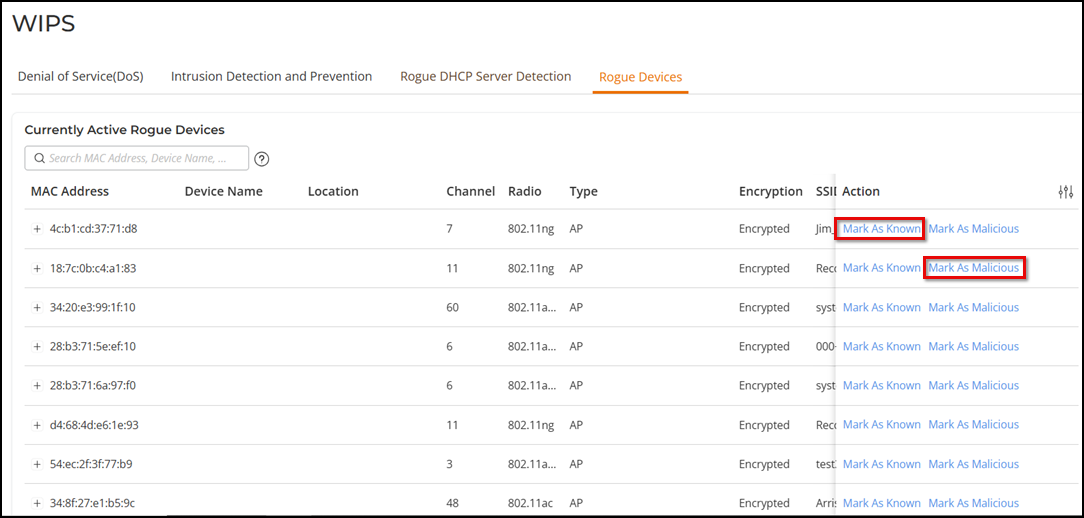
- To mark a rogue device as a known device (for example, a neighboring network), under the Action column, click Mark As Known. This device will no longer trigger rogue device detection alarm events on the page.
- To mark a rogue device as a malicious rogue (with the goal of physically locating and removing the offending device), click Mark as Malicious.
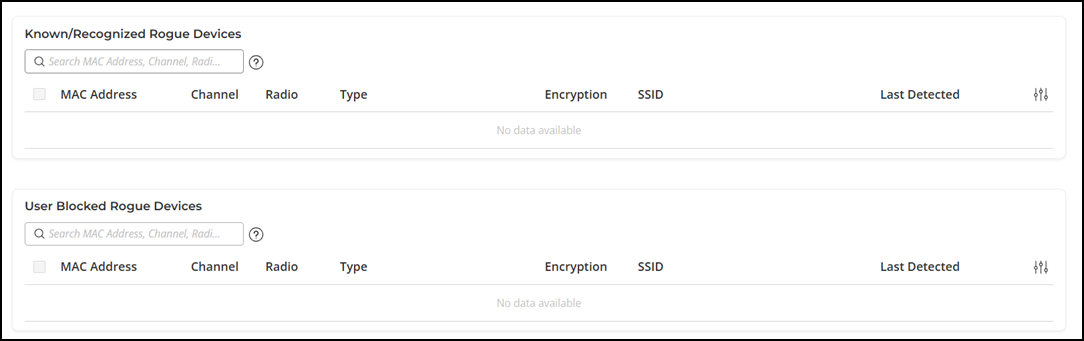
- Under Known/Recognized Rogue Devices, monitor and manage the list of known and recognized rogue devices. Under User Blocked Rogue Devices, monitor and manage the list of user-blocked rogue devices.