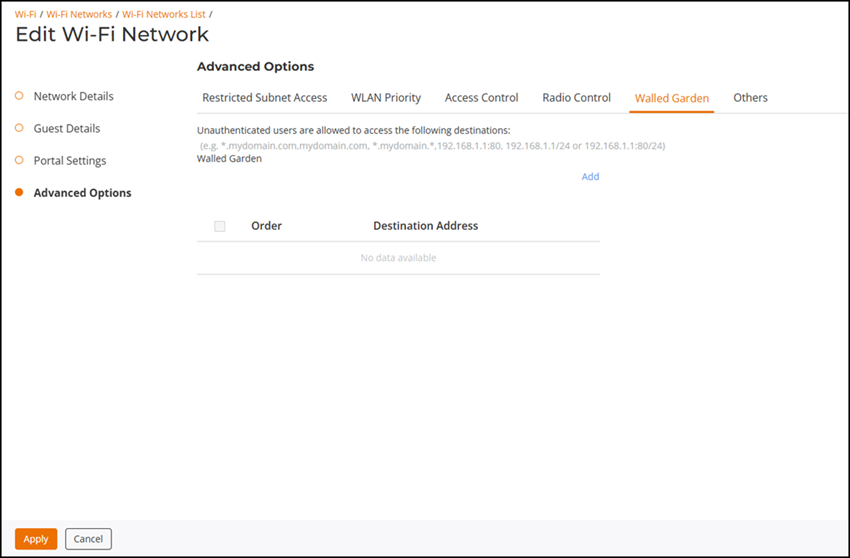
Guest Access Walled Garden
A walled garden is a list of network destinations (URLs or IP addresses) that users
can access without going through authentication.
A common use case for a walled garden is to allow unauthenticated guests to access a company's website or other specific locations prior to entering Guest Pass or social media login information.
Complete the following steps to create a guest access walled garden.
Difference in UI label in
Unleashed and RUCKUS Blue
- From the main menu, select . Create a new WLAN or edit an existing WLAN.
- Select a specific guest WLAN and click Edit to edit an existing WLAN and step through to the Advanced Options page. Alternatively, click the guest WLAN name and click Configure.
- Click Add to create a new walled garden.
- In the Add sidebar, enter a number for the Order and enter the destination IP address or domain name in the Destination Address field, .
- Click Add to save the guess access walled garden.