Disabling Access Point LEDs
In some situations, customers may wish to
disable the LED lights on the access points to avoid drawing attention to them (for
example,
when the APs are installed in a public location).
-
UI label change in UnleashedFrom the main menu, select .
- Select the System Default checkbox and click Edit.
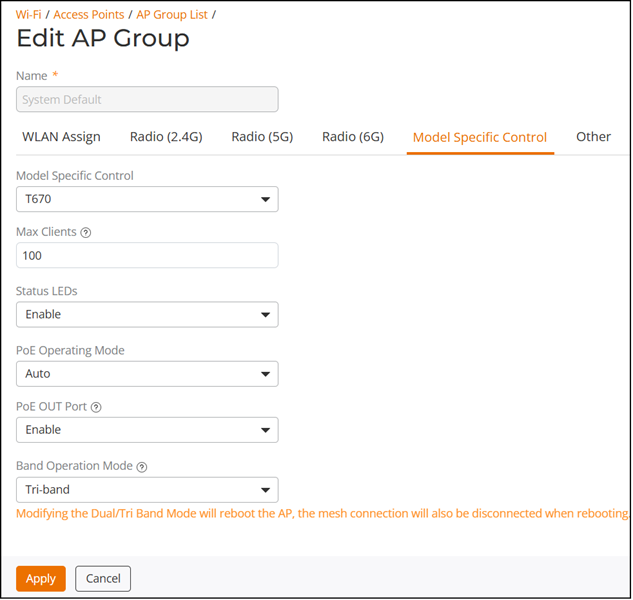
- In the Model Specific Control sub-tab, select the AP model from the list and for Status LEDs, select Disable from the list. By default, Status LEDs is enabled. This setting must be configured for each AP model individually. If you are editing at the AP level, then also select the Override Group Config checkbox.
-
UI label change in UnleashedClick Apply to save your changes.