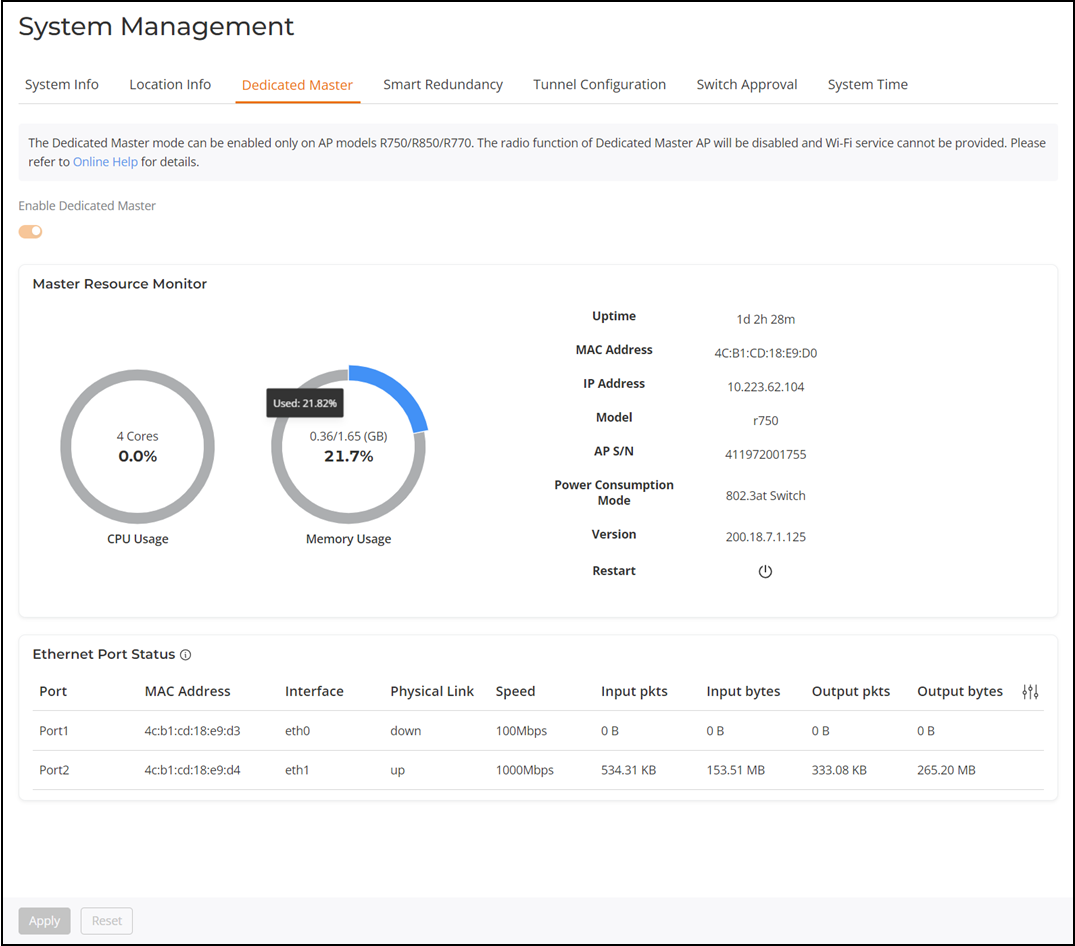
Checking Dedicated Master Status in the Unleashed Web Interface Complete the following steps to check the Dedicated Master status after the wizard setup or conversion of Unleashed to Dedicated Master.Log in to the Unleashed web interface by entering the administrator username and password. Click Unleash.Select System Settings > System Management > Dedicated Master, check the status and information about Dedicated Master and Smart Redundancy. Dedicated Master and Smart Redundancy Information Parent topic: Dedicated Master Configuration