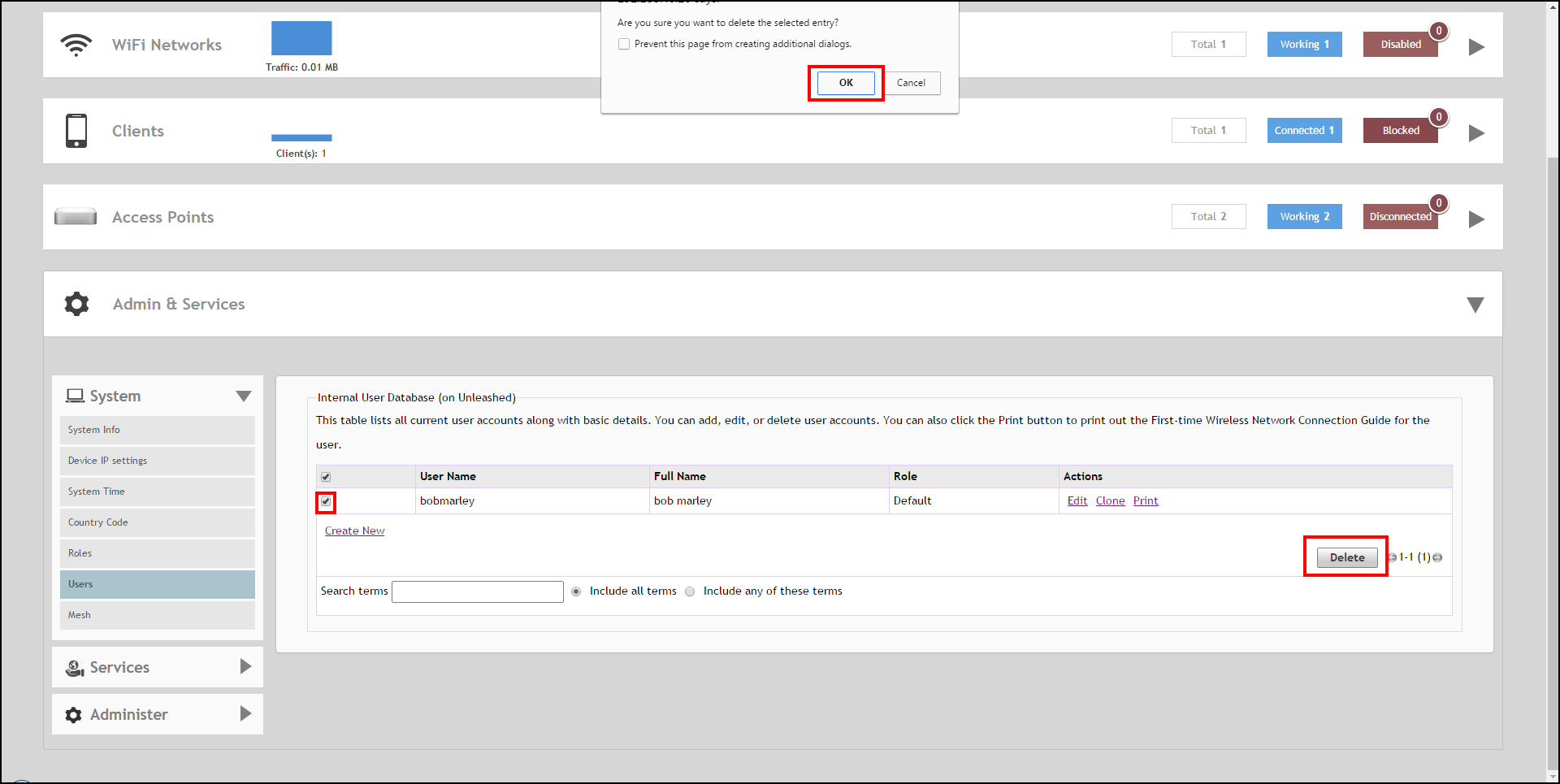
Deleting a User Record UI path for UnleashedFrom the dashboard, select Admin & Services > System > Users. Select the user record or records you want to delete under Internal User Database, and click Delete.When the confirmation dialog box displays, click OK to save your settings. The records are removed from the internal user database. Deleting a User from the Internal Database Parent topic: Administration Settings