Viewing stack priority details
The stack unit with the highest priority is the Active Controller (128 by default). The stack unit with the second highest priority is the Standby Controller, which takes over if the current Active Controller fails.
It is possible to assign the same priority for Active and Standby Controllers, or different priorities (Active highest and Standby second-highest). When the Active and Standby Controllers have the same priority, if the Active Controller fails, the Standby Controller takes over. If the original Active Controller becomes operational again, it will not be able to resume its original role.
When the priorities of the Active and Standby Controllers are different, if the Active Controller fails, the Standby Controller takes over. If the original Active Controller becomes operational again, the old Active Controller regains its role and resets the other units.
You can assign the same priority to the Active and Standby Controllers after the stack is formed. This prevents the intended Standby Controller from becoming the Active Controller during stack construction.
To view the priority of the units within a stack, perform the following steps.
- Click Configure on the left pane and select Stack .
- Click
Priority .
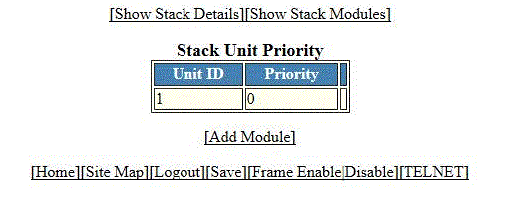
The Stack Unit Priority window is displayed as shown in the figure below.
To add a new stack module, click Add Module . For more information on how to configure a stack module, refer to Configuring a stack module.