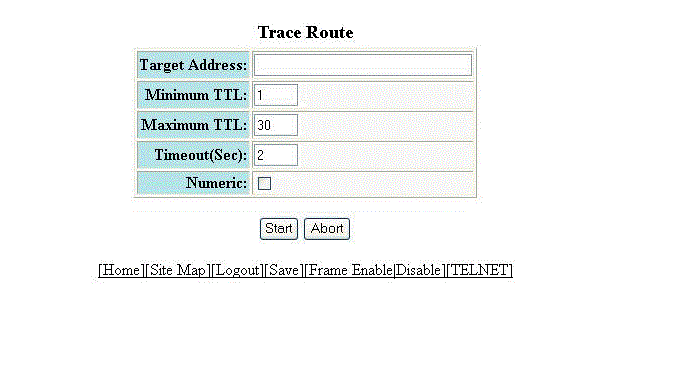
Performing a trace
Trace Route allows you to trace a path from the RUCKUS device to an IPv4 host. Trace route requests show all responses to a minimum Time To Live (TTL) of 1 second and a maximum TTL of 30 seconds. In addition, if there are multiple equal-cost routes to the destination, the RUCKUS device displays up to three responses. To run a trace, perform the following steps.
- Click Command on the left pane and select Trace Route .
- Type the IP address of the host at the other end of the route in the Target Address field.
- Type the minimum value of TTL in the Minimum TTL field. The default is 1.
- Type the maximum value of TTL in the Maximum TTL field. The default is 30.
- Type the number of seconds the router waits for a reply from the pinged device in the Timeout (Sec) field.
- Select the Numeric check box so that, for parameters that require a numeric value, the trace route does not check that the value you enter is within the allowed range. Instead, if you do exceed the range for a numeric value, the software rounds the value to the nearest valid value.
- Click Start to begin the trace process or click Abort to exit without performing the trace.