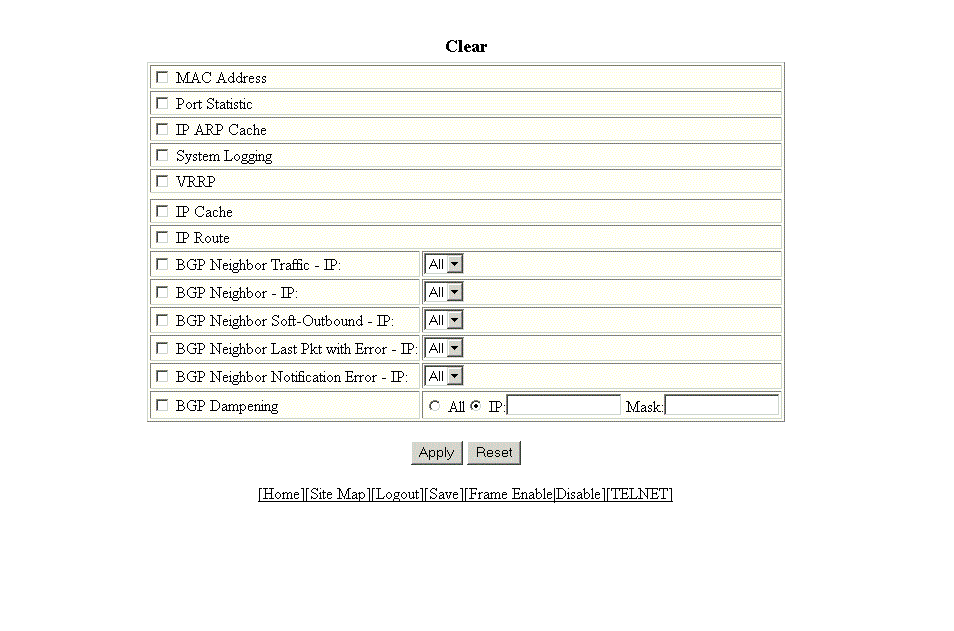
Clearing information for a Layer 3 switch
To clear specific data related to a Layer 3 switch, perform the following steps.
- Click Command on the left pane and select Clear.
- Select the following check boxes to clear information:
- MAC Address
- Port Statistic
- IP ARP Cache
- System Logging
- VRRP
- IP Cache
- IP Route
- BGP Neighbor Traffic - IP --Select All in the list to clear the BGP message counter for all neighbors.
- BGP Neighbor - IP --Select All in the list to close all neighbor sessions and clear all the routes exchanged by the Layer 3 switch and the neighbors.
- BGP Neighbor Soft-Outbound - IP --Select All in the list to update all outbound routes by applying the new or changed filters.
- BGP Neighbor Last Pkt with Error - IP --Select All in the list to clear the last packet from the neighbors that contained an error.
- BGP Neighbor Notification Error - IP --Select All in the list to clear the buffer for all neighbors containing the last NOTIFICATION message sent or received.
- BGP Dampening --Perform one of the following tasks:
- Click Apply.