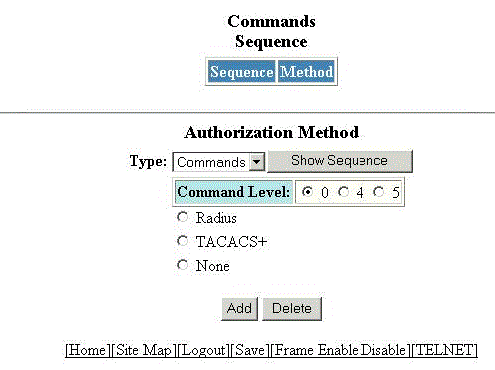
To configure management authorization, perform the following steps.
Click
Configure on the left pane and select
System.
Click
Management and select
Authorization Methods.
The
Authorization Method window is displayed as shown in the figure below.
Configuring management authorization
Select either of the following modes of authorization in the
Type list:
Commands
Exec
Click
0 or
4 or
5 for
Command Level.
Click one of the following servers:
Radius
TACACS+
None
Click
Add.
The message
The change has been made is displayed and the configured authorization method is listed in the
Commands Sequence pane. Click
Show Sequence to display the list of authentication methods added. To delete the configured management
authorization, click
Delete.