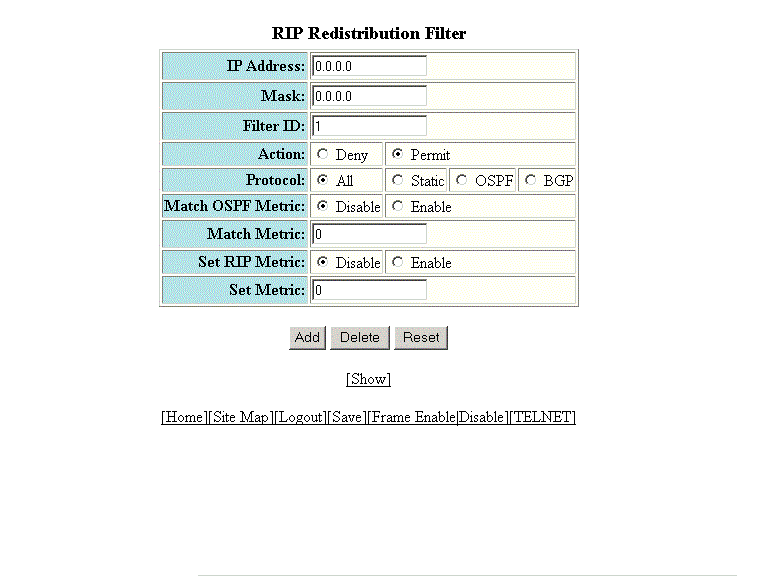
Configuring a RIP redistribution filter
To configure a RIP redistribution filter, perform the following steps.
- Click Configure on the left pane and select RIP .
- Click Redistribution Filter .
- Type a network IP address in the IP Address field.
- Type an IP subnet mask in the Mask field.
- Type a redistribution filter identifier in the Filter ID field.
- Click Deny or Permit for Action .
- Select one of the following options for Protocol :
- Click Disable or Enable for Set OSPF Metric .
- Type the match metric value from 1 through 15 in the Match Metric field. The match metric parameter applies the redistribution filter only to those routes with the specified metric value.
- Click Disable or Enable for Set RIP Metric .
- Type the RIP metric value in the Set Metric field.
- Click Add .